

In most cases, yes — VPNs do work with banking apps, but not always smoothly.
While VPNs are designed to protect your connection and encrypt your sensitive data, some financial institutions view VPN traffic as potentially suspicious.
This can cause login failures, verification errors, or even temporary access blocks.
Banks use sophisticated fraud-detection systems that monitor IP addresses, geolocation, and device consistency.
If you suddenly log in from an unfamiliar region — especially through a VPN server in another country — the system might flag your session as risky.
This doesn’t mean VPNs are unsafe; rather, banks prioritize account security over convenience.
If you’ve ever tried to log into your bank and received an “unusual activity detected” alert, your VPN could be the reason.
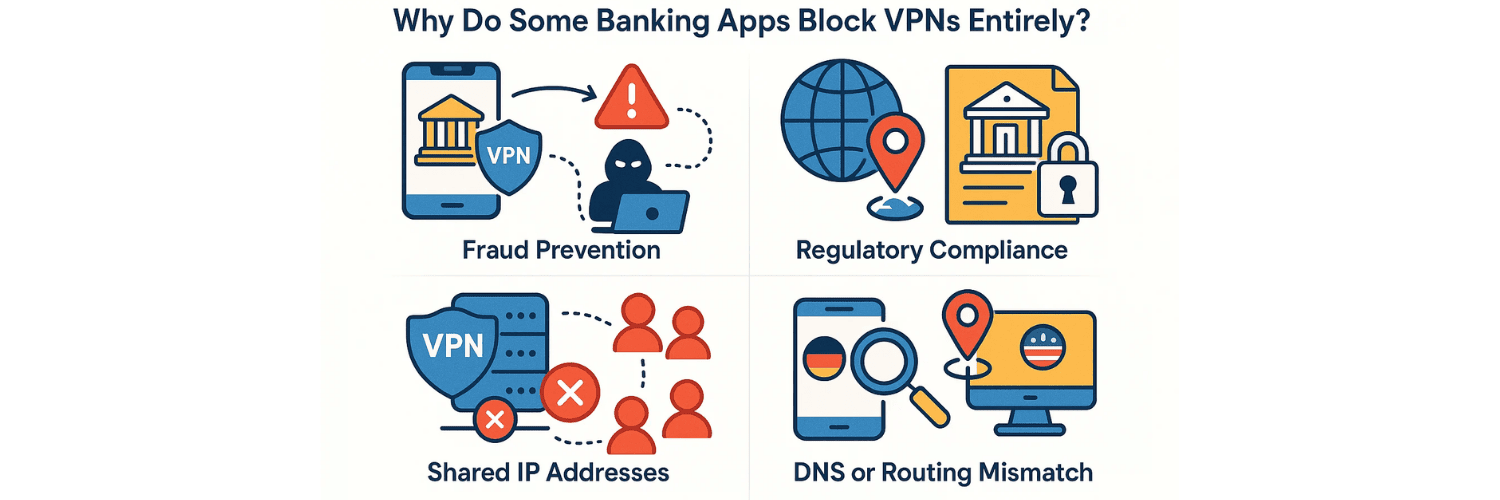
Why Do Some Banking Apps Block VPNs Entirely?
Banking apps block or restrict VPN traffic mainly for security and compliance reasons.
Here are the key factors:
Fraud Prevention
Banks rely heavily on your IP address to identify where you’re connecting from.
A sudden IP change — especially to another country — could resemble fraudulent behavior or a hacked session.Regulatory Compliance
Some regions require banks to restrict cross-border data flows.
If your VPN routes traffic through another country, the bank’s system may automatically block access to comply with data-protection laws.Shared IP Addresses
Most VPN servers are shared by many users at once.
When hundreds of logins originate from the same IP, banking systems may blacklist that address to protect against credential-stuffing attacks.
DNS or Routing Mismatch
If your VPN doesn’t properly tunnel DNS queries, your bank may detect conflicting location data (for example, your IP shows Germany while your DNS shows the U.S.).
You can confirm this by running a quickmobile VPN leak test to ensure your connection isn’t leaking data.
When Do Banking Apps Work Fine with VPNs?
Not all banks block VPNs. Many allow VPN access as long as certain conditions are met:
You’re connecting through a VPN server in your own country.
Your VPN provider uses dedicated or residential IPs (not shared data-center IPs).
You’re using a modern VPN protocol such as WireGuard or IKEv2, which maintains stable, secure connections.
Your VPN doesn’t leak DNS or IPv6 traffic.
If you choose a premium VPN that maintains clean IP addresses and offers strong DNS protection, your banking apps should work seamlessly.
For a more technical overview of how VPN setups differ across platforms, you can read:
👉How to Set Up a VPN on Windows, macOS, Android, and iOS.
How to Fix Banking App Login Issues When Using a VPN
If your banking app refuses to log in while your VPN is active, don’t worry — you can usually fix it with these steps:
Connect to a VPN server in your own country
Most banking systems only verify that your IP region matches your account’s registered location.Switch VPN protocols
Some banking servers block OpenVPN UDP traffic but allow IKEv2 or WireGuard.
Try switching protocols within your VPN app settings.Use Split Tunneling
This allows you to exclude specific apps (like your banking app) from VPN routing.
That way, your banking traffic stays direct while other apps remain protected.Clear App Cache and Restart Your Device
Cached DNS and location data can trigger mismatches. Clearing them resets the connection path.Test Your VPN for Leaks
If your VPN leaks your real IP or DNS, your bank’s system can detect inconsistencies.
Run a full test at 👉 vpntest.pro/test to confirm that your traffic is fully encrypted.Contact Your VPN Support
Some providers maintain special servers optimized for banking and online payments.
Support teams can direct you to those nodes or dedicated IPs.
If none of these steps help, you might be experiencing the kind of VPN-related login issue discussed in this detailed guide:
👉Can VPNs Cause App Login Issues? Here’s How to Troubleshoot.
Which VPNs Work Best with Banking Apps?
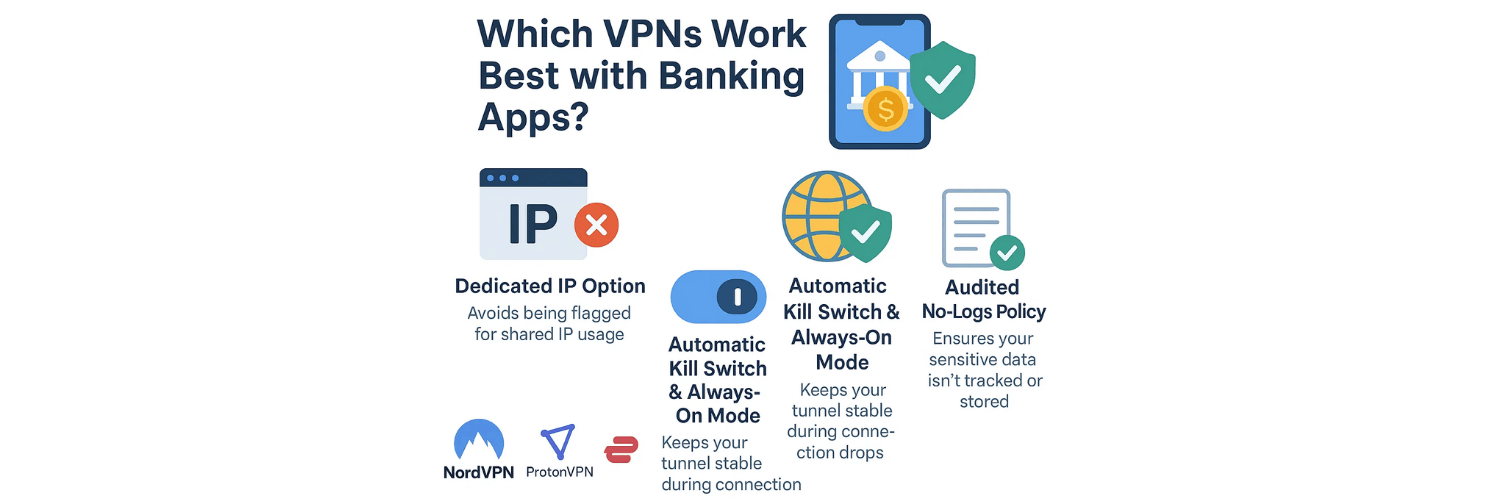
When choosing a VPN for banking, prioritize stability, trust, and consistency over speed.
Here’s what to look for:
Dedicated IP Option: Avoids being flagged for shared IP usage.
Strong DNS and IPv6 Leak Protection: Prevents regional mismatches.
Automatic Kill Switch & Always-On Mode: Keeps your tunnel stable during connection drops.
Audited No-Logs Policy: Ensures your sensitive data isn’t tracked or stored.
VPNs that provide strong regional infrastructure — like NordVPN, ProtonVPN, or ExpressVPN — generally perform well with banking apps when configured properly.
Should You Use a VPN for Online Banking at All?
Absolutely — as long as you use it correctly.
VPNs encrypt your entire connection, which protects you from man-in-the-middle attacks, public Wi-Fi threats, and ISP tracking.
However, using a trusted, well-configured VPN is key. Misconfigured or leaking VPNs can do more harm than good.
That’s why you should regularly test your VPN setup for DNS, IP, and WebRTC leaks using vpntest.pro/test.
When configured properly, a VPN adds a powerful layer of encryption between your banking data and the internet, helping you stay safe without compromising usability.
🛡️ Which Types of VPNs Are Less Likely to Be Blocked by Banking Apps?
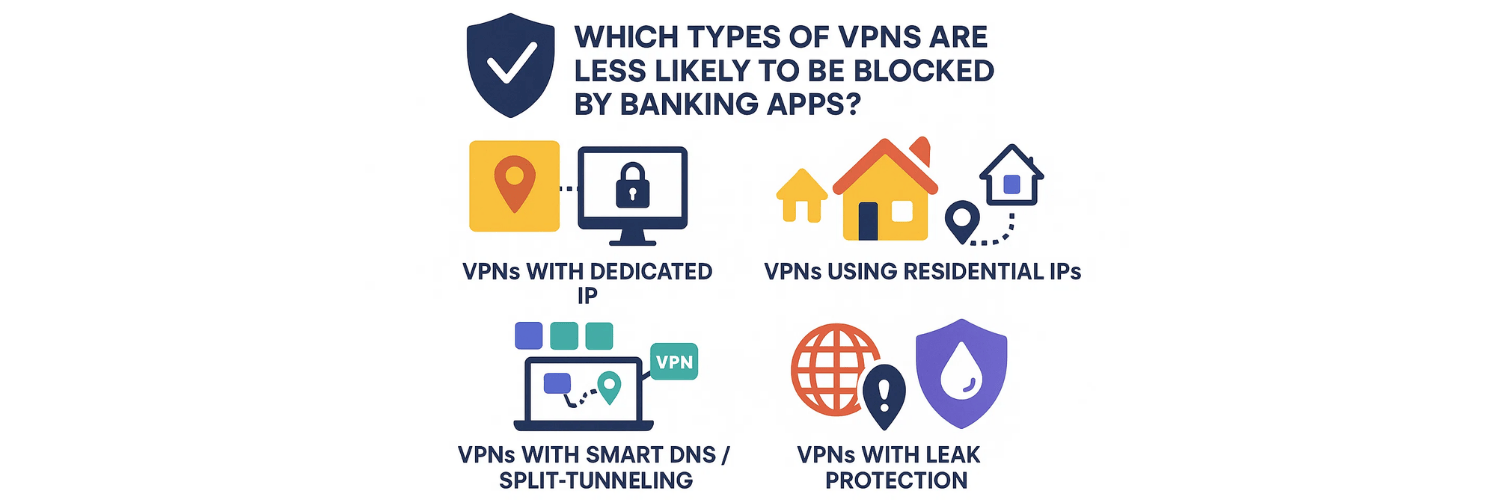
Not all VPNs are treated equally by banking systems.
Banks use automated systems to identify unusual traffic patterns — especially those coming from data centers, shared IP pools, or foreign regions.
However, some VPN types are specifically designed to minimize these detection risks and provide smoother access to online banking platforms.
Here are the types of VPNs that tend to work best for financial activities:
1. VPNs with Dedicated (Static) IP Addresses
A dedicated IP VPN assigns you the same private IP every time you connect, instead of rotating between shared IPs used by hundreds of users.
Because the IP stays consistent, banking systems recognize it as a “trusted” endpoint, reducing the likelihood of login errors or account verification alerts.
Many premium VPNs — such as NordVPN, ProtonVPN, and CyberGhost — offer this feature for business or secure banking use.
2. VPNs Using Residential or ISP-Level IPs
Some VPN providers use residential IP addresses, which are sourced from legitimate ISPs instead of data centers.
These IPs appear to banks as normal home connections, making them almost invisible to fraud filters.
While more expensive, residential VPNs are ideal for users who regularly access sensitive platforms like online banking or stock trading apps.
3. VPNs with Smart DNS and Split-Tunneling Options
A VPN that offers Smart DNS or split tunneling lets you control which apps go through the VPN and which connect directly.
For instance, you can exclude your banking app from the encrypted tunnel while keeping all other traffic secure — allowing your bank connection to appear fully “local.”
4. VPNs with Strong DNS, IPv6, and WebRTC Leak Protection
Leak protection ensures your true location never “slips through” due to a misconfiguration.
Even a small DNS or IPv6 leak can trigger an automatic security response from your bank’s server.
The best VPNs include kill switch functions and secure DNS tunneling to eliminate these vulnerabilities.
🔍 How vpntest.pro/test Helps You Choose the Right VPN for Banking
Before trusting any VPN for financial transactions, it’s essential to verify that it doesn’t leak identifying information — even momentarily.
That’s where vpntest.pro/test becomes a critical tool.
Here’s how it helps:
1. Detects IP, DNS, and WebRTC Leaks in Real-Time
The test checks whether your VPN truly hides your real IP address and DNS queries.
If your real IP or DNS still shows your ISP’s region, your bank will detect a mismatch — potentially leading to access blocks.
2. Confirms VPN Server Location Accuracy
Some lower-quality VPNs route traffic inconsistently, causing your IP to appear in a different country than expected.
vpntest.pro accurately verifies the true geolocation of your active VPN server, allowing you to confirm that it matches your bank’s allowed region.
3. Validates Encryption and Connection Stability
Unstable VPN tunnels can cause session drops — a major issue during banking transactions.
Running a test ensures your VPN maintains a secure and stable encrypted tunnel, critical for handling login or payment operations.
4. Helps You Compare VPN Providers Objectively
Instead of relying on marketing claims, vpntest.pro provides transparent technical data.
You can test multiple VPNs, compare their leak protection, and choose the one that consistently delivers strong encryption and zero leaks — ideal for safe banking access.
✅ In Summary
If you rely on VPNs for online banking, choose a provider that offers:
Dedicated or residential IPs
Accurate geolocation control
Full DNS and IPv6 leak protection
Proven stability under encryption load
Then, before logging into your financial apps, usevpntest.pro/test to verify that your VPN setup passes all security checks.
A properly configured, leak-free VPN not only protects your privacy but also ensures your banking sessions remain secure, trusted, and uninterrupted.
Final Thoughts
VPNs and banking apps can work together — but compatibility depends on how your VPN is configured.
If your banking app fails to load or blocks your login, it’s usually due to shared IP addresses, DNS leaks, or region mismatches rather than a security flaw in the VPN itself.
By choosing a reputable VPN provider, connecting through a local server, and testing your setup using vpntest.pro/test, you can keep your financial information secure and accessible anywhere.
For additional troubleshooting steps, see these related guides:
🔹 Can VPNs Cause App Login Issues? Here’s How to Troubleshoot
🔹 How to Test for VPN Leaks on Mobile Devices (iOS & Android)
With the right configuration and awareness, you can enjoy both strong privacy and uninterrupted access to your banking apps — safely and securely.
FAQs
1. Why do banking apps block VPN connections?
Because VPN traffic often hides real IPs and locations, banks may flag it as suspicious to prevent fraud or unauthorized access from other countries.
2. Is it safe to use a VPN for online banking?
Yes — as long as your VPN is reputable, doesn’t leak data, and connects through your own country. Always verify it using vpntest.pro/test.
3. Which VPNs are best for online banking?
VPNs that offer dedicated or residential IPs (like NordVPN or ProtonVPN) are less likely to be blocked and maintain consistent, trusted connections.
4. Why does my bank app show a login error when using a VPN?
Shared or foreign IPs can trigger fraud detection systems. Try using a local server or a VPN protocol like IKEv2 for better stability.
5. Can free VPNs work with banking apps?
Generally, no. Free VPNs use shared IPs, have weak encryption, and often leak DNS or IP data — which can cause banks to reject logins.
6. What kind of VPN IP is least likely to get blocked by banks?
A dedicated IP or residential IP VPN is the safest choice. These IPs appear as normal home connections rather than data center traffic.
7. How can I test if my VPN is leaking data?
Use vpntest.pro/test to check for IP, DNS, and WebRTC leaks. Any leak can reveal your real location and trigger security blocks.
8. Will a VPN hide my bank transactions from the bank?
No. Your bank always sees your transactions. A VPN only hides your connection from ISPs and potential hackers on public networks.
9. Should I turn off my VPN when using mobile banking?
Not necessarily. If your VPN is leak-free and connected to a local server, it’s safer to leave it on — especially when on public Wi-Fi.
10. What’s the easiest way to verify if my VPN is secure for banking?
After connecting, visitvpntest.pro/test.
If your IP and DNS show the VPN server’s region — not your real one — you’re secure.
Tags

About VPNTest
Content Specialist with expertise in cybersecurity and online privacy. Sarah has been testing and reviewing VPN services for over 5 years and regularly contributes to leading tech publications.
View all articles by VPNTest →




Never Miss an Article
Subscribe to our newsletter to receive the latest VPN guides, security tips, and industry news directly in your inbox.