


One day your VPN streams Netflix in crystal-clear HD, and the next it struggles to load a simple webpage. If this sounds familiar, you’re not alone. Many users experience VPN speed fluctuations, where performance seems fast at times and painfully slow at others. But why does this happen? The truth is that VPN speeds depend on multiple factors, including your ISP, server location, network congestion, and even the time of day.
In this guide, we’ll break down the common causes of unstable VPN speeds, explain how to test your connection properly, and provide practical tips to ensure your VPN performs consistently.
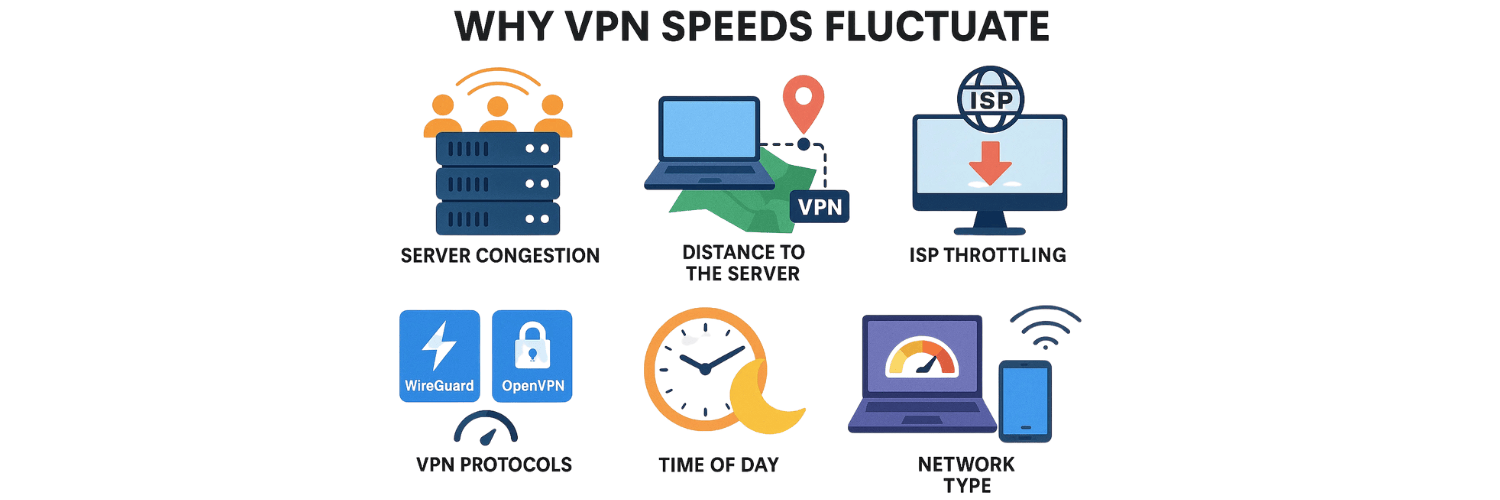
Why VPN Speeds Fluctuate
1. Server Congestion
VPN servers have limited bandwidth. When too many users connect at once, speed drops significantly. This often happens during peak hours when people stream, game, or work online.
2. Distance to the Server
The farther the VPN server is from your actual location, the slower your speed. Data has to travel long distances, increasing latency and lowering download/upload speeds.
3. Internet Service Provider (ISP) Throttling
Some ISPs intentionally slow down certain traffic types, like streaming or torrenting. A VPN usually helps bypass throttling, but in some cases, it may worsen congestion depending on the ISP.
4. VPN Protocols
Different VPN protocols affect speed differently. WireGuard is fast and efficient, while OpenVPN (TCP) is secure but slower. If your protocol changes automatically, speed variations can occur.
5. Time of Day
During evenings or weekends, more people use the internet, which can cause congestion both on your ISP’s network and your VPN’s servers.
6. Device Performance
Older smartphones, laptops, or routers may struggle with VPN encryption, which consumes processing power. As a result, VPN speed can fluctuate depending on the device’s workload.
7. Network Type
Wi-Fi is more prone to interference than wired Ethernet. If you’re switching between public Wi-Fi, home networks, or mobile data, you may see major performance differences.
How to Test Your VPN Speed Properly
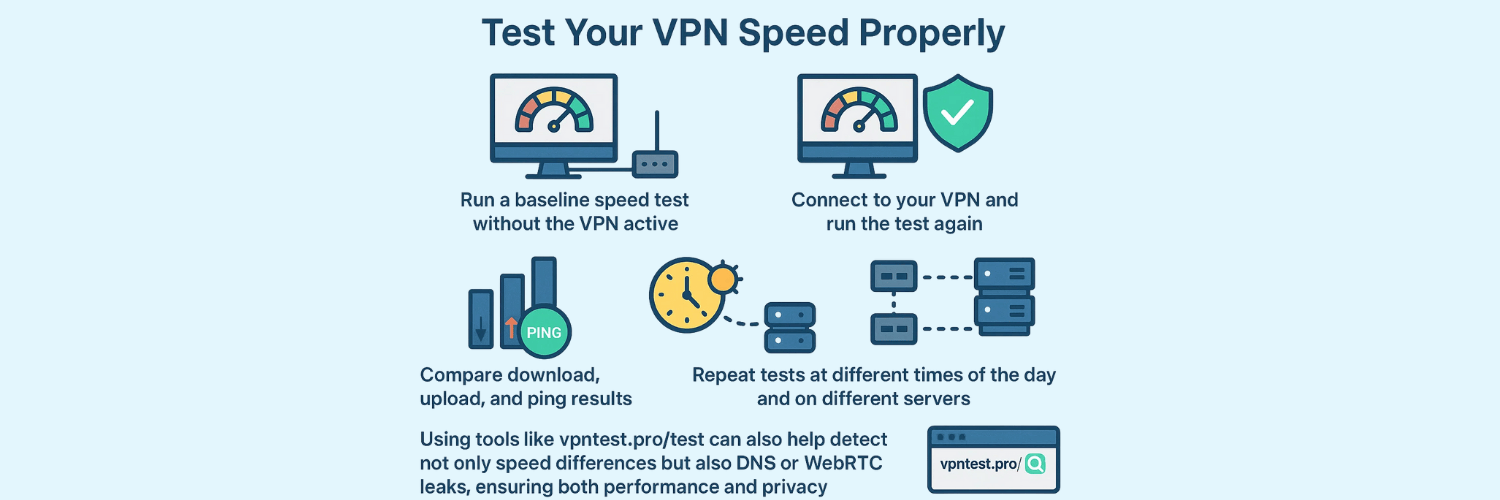
Testing your VPN speed is crucial to understanding if fluctuations come from your VPN provider, ISP, or device. Here’s how:
Run a baseline speed test without the VPN active.
Connect to your VPN and run the test again.
Compare download, upload, and ping results.
Repeat tests at different times of the day and on different servers.
Using tools like vpntest.pro/test can also help detect not only speed differences but also DNS or WebRTC leaks, ensuring both performance and privacy.
How to Fix VPN Speed Fluctuations
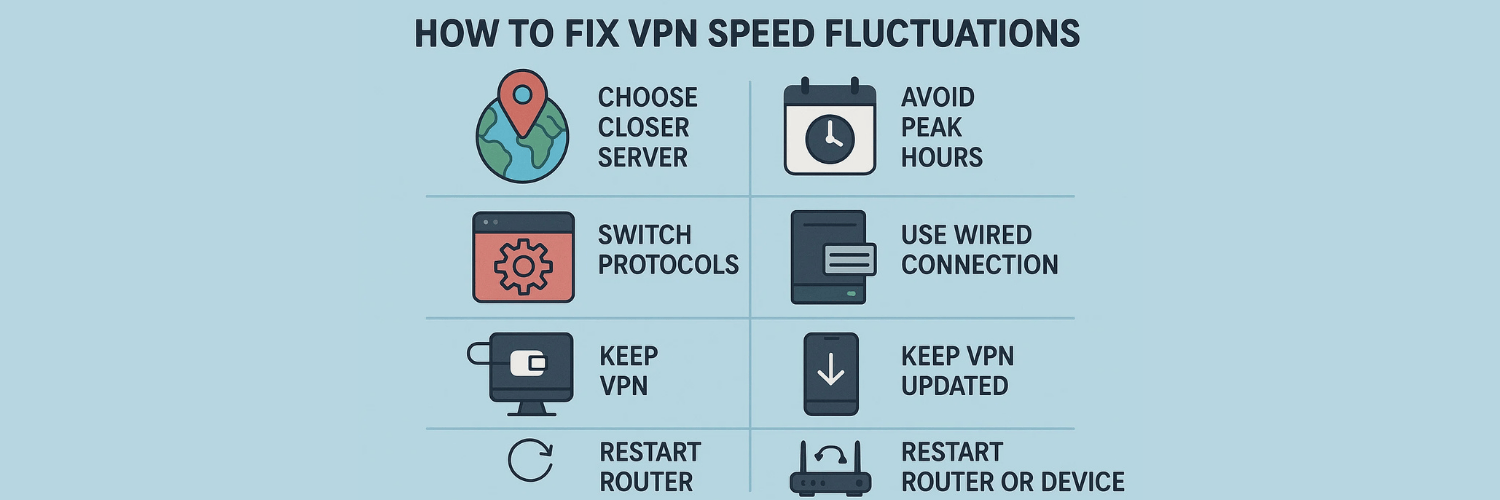
1. Choose a Closer Server to Reduce Latency
The distance between your device and the VPN server has a direct impact on speed. When you connect to a server across the globe, your data must travel farther, increasing latency and slowing performance. To improve stability, select a server closer to your physical location. For example, if you are in Europe, connecting to a nearby European server will generally be faster and more consistent than connecting to one in Asia or the U.S.
2. Switch Protocols for Better Performance
VPNs offer multiple protocols, and each one balances speed and security differently. WireGuard is widely regarded as the fastest option due to its lightweight code and modern encryption. OpenVPN UDP provides a good balance of speed and security, while IKEv2 is ideal for mobile users because it handles network switching (like Wi-Fi to 4G/5G) smoothly. If your VPN feels slow, experimenting with different protocols can make a noticeable difference.
3. Avoid Peak Hours When Servers Are Overcrowded
Just like highways during rush hour, VPN servers get congested when too many people connect at once. Peak hours are typically evenings and weekends, when more users are streaming, gaming, or working online. If possible, schedule bandwidth-heavy tasks like large downloads, cloud backups, or HD streaming during off-peak hours to enjoy faster and more reliable speeds.
4. Select a Less Busy Server (Check Server Load)
Many VPN providers display server load statistics inside their apps. This tells you how crowded a particular server is at any given time. If your connection feels sluggish, switch to a server with lower load, even if it’s slightly farther away. In many cases, a less busy server provides smoother, more stable speeds than an overcrowded one.
5. Use a Wired Connection for Stability
Wi-Fi is convenient but prone to interference from walls, nearby devices, or even your neighbor’s router. This interference can amplify VPN speed fluctuations. If stability is critical—such as when streaming, gaming, or attending video calls—use a wired Ethernet connection instead. A wired connection offers consistent speeds, lower latency, and better reliability.
6. Keep Your VPN App Updated
VPN providers frequently release updates to fix bugs, enhance encryption, and improve performance. Running an outdated VPN app may limit your speed because you’re missing out on the latest optimizations. Make it a habit to check for updates regularly on both desktop and mobile devices to ensure you’re using the most efficient version available.
7. Restart Your Router or Device
Network congestion doesn’t only come from the internet—it can also build up inside your own router or device. Restarting your router clears temporary issues like cache overload, stale connections, or background traffic conflicts. Similarly, rebooting your laptop, smartphone, or tablet can free up memory and resources, giving your VPN connection a fresh start.
Conclusion
VPN speed fluctuations are normal, but they don’t have to ruin your browsing, streaming, or gaming experience. By understanding why speeds change, running regular tests, and applying optimization tips, you can enjoy a more consistent, secure, and fast VPN connection.
If your current VPN is unreliable, it may be time to switch to a provider with better infrastructure and stability.
FAQs about VPN Speed Fluctuations
1. Why is my VPN fast in the morning but slow at night?
This usually happens because of peak-hour congestion. Both ISPs and VPN servers are busier in the evening.
2. Does the VPN provider affect speed fluctuations?
Yes. Premium VPNs have better infrastructure, more servers, and faster protocols, reducing fluctuations compared to free or low-quality VPNs.
3. Can a VPN make my internet faster?
In some cases, yes. If your ISP throttles streaming or gaming, a VPN can bypass restrictions, making your speed more stable.
4. How do I know if my ISP is throttling my VPN?
Run speed tests with and without the VPN. If the VPN speed drops only during certain activities (like Netflix or torrenting), throttling may be the cause.
5. Which VPN protocol is best for stable speeds?
WireGuard is currently the best balance of speed and security. OpenVPN UDP is also fast, while IKEv2 is good for mobile users.
6. Why does changing servers improve speed?
Different servers handle different traffic loads. Switching to a less crowded or closer server often boosts performance.
7. Can VPN speed fluctuate on mobile data?
Yes. Mobile data networks are less stable and may cause speed fluctuations, especially if switching between 4G, 5G, or weak signals.
8. Does Wi-Fi interference affect VPN speed?
Absolutely. Walls, other devices, and distance from the router can slow Wi-Fi, making your VPN seem inconsistent.
9. Should I leave my VPN on all the time if it slows down sometimes?
Yes, for privacy and security. Instead of turning it off, optimize your settings to balance speed and safety.
10. What’s the best way to ensure stable VPN speed?
Choose a reliable VPN, connect to nearby servers, use WireGuard, and test regularly using vpntest.pro.
Tags

About VPNTest
Content Specialist with expertise in cybersecurity and online privacy. Sarah has been testing and reviewing VPN services for over 5 years and regularly contributes to leading tech publications.
View all articles by VPNTest →Related VPNs





Never Miss an Article
Subscribe to our newsletter to receive the latest VPN guides, security tips, and industry news directly in your inbox.