


Your online location shapes what you can see and do on the internet. Many websites, apps, and streaming services change their content based on where your IP address says you are. That means if you’re outside Indonesia, you might lose access to local TV, banking apps, or shopping platforms that only work within the country. The good news is — you can change that.
Whether you’re traveling abroad, testing local ads, or streaming Indonesian TV, you can appear online as if you’re in Jakarta — safely and in minutes. In this guide, you’ll learn how to get an Indonesian IP address, why it matters, and the easiest ways to do it using VPNs or proxies.
Why You Might Want An Indonesian IP Address
Many Indonesian websites and apps block users outside the country. By changing your IP address to an Indonesian address, you can access Indonesian websites abroad — from Vidio, RCTI+, and Trans7 to local news or shopping sites.
It also helps you use Indonesian banking or e-commerce safely while abroad, and gives marketers or testers the ability to run local ad checks, SEO tests, or automation tasks that rely on real location data.
An Indonesian IP isn’t only for streaming — it’s vital for marketers, testers, and expats who need secure, local access anywhere.
VPN vs Proxy — What’s The Real Difference?
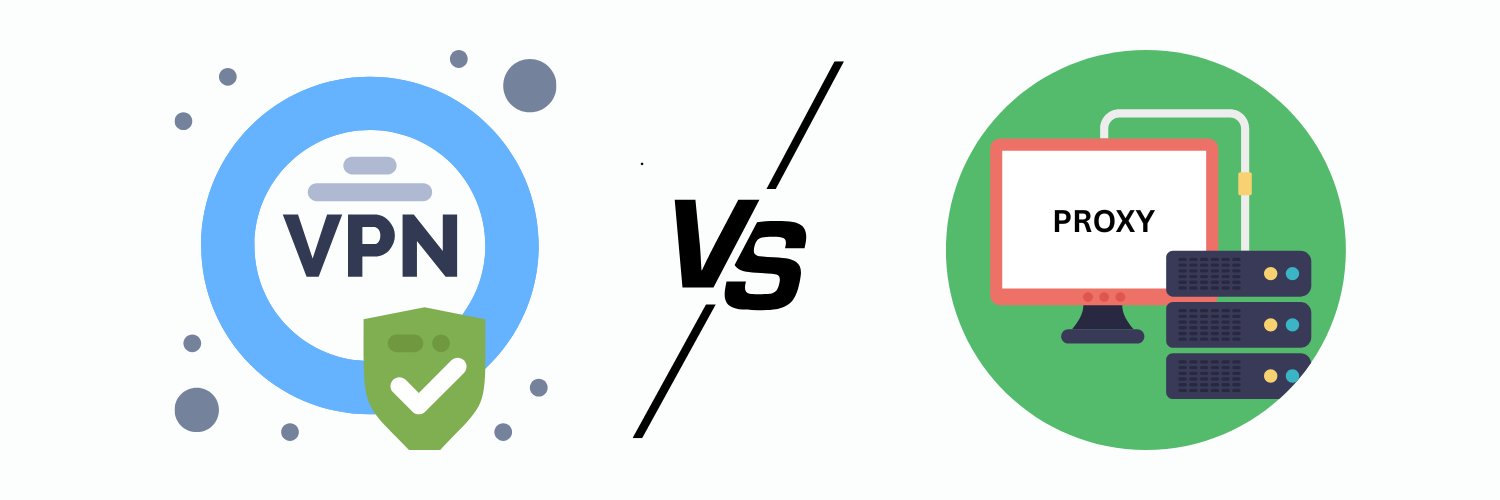
When you want to appear online from another country, both VPNs and proxies can do the job — but they work in very different ways. Understanding those differences helps you pick the right tool for your goals.
Method | What It Does | Pros | Cons | Best For |
VPN | Encrypts your full connection and routes it through an Indonesian server | Strong privacy, easy apps for all devices | Paid plans only | Personal use, streaming, banking |
Residential Proxy | Uses real Indonesian ISPs to give you genuine local IPs | Undetectable, stable connections | Needs more setup | Automation, ads, SEO, multi-accounting |
Datacenter Proxy | Offers fast synthetic IPs hosted on servers | High speed, low cost | Easier for sites to detect | Research, scraping, bulk data tasks |
Web Proxy | Changes IP only at the browser level | Free and quick to use | No encryption, often unreliable | Simple one-time checks |
A VPN encrypts everything you do online, making it safer for streaming or logging into sensitive accounts. A residential proxy from Indonesia gives you the advantage of looking like a real local user — ideal for marketers, testers, and automation workflows.
Key takeaway: use a VPN for full privacy, and a residential proxy for stealth and scalability.
How To Get Indonesian IP Address Using A VPN
Getting an Indonesian IP address takes only a few minutes, even if you’ve never used a VPN before. Here’s a simple guide that works on any device.
Step 1: Pick a VPN With Indonesian Servers
Not every provider offers servers in Indonesia, so choose one that does. Reliable options include ClimaxVPN, NordVPN, Surfshark, and ExpressVPN — all known for strong privacy and fast connections.
Step 2: Create an Account and Install the App
Sign up on the provider’s website and download the app for your device. VPNs support desktops, laptops, and mobile phones, so you can stay protected anywhere.
Step 3: Connect to a Server in Indonesia (Jakarta)
Open the app, log in, and find Indonesia in the server list. Click to connect — once it’s active, your internet traffic will route through an Indonesian server.
Step 4: Check Your IP
Visit VPNtest.pro to confirm your new location. If the site shows Indonesia or Jakarta, your VPN is working correctly.
If your connection feels slow, switch VPN protocols — try WireGuard or OpenVPN for smoother speeds.
Best VPNs To Get An Indonesian IP (2025 List)
Finding the best VPN for Indonesia comes down to consistency, privacy, and ease of use. Below are four trusted providers that make it simple to get an Indonesian IP address and browse securely from anywhere.
Climax VPN — Fast, Private, and Affordable
Why it’s great: Climax VPN offers excellent value for users who want both speed and privacy. It supports unlimited traffic, 10 users simultaneously, and works across all devices under one account. With servers optimized for stability, it performs smoothly for streaming, gaming, or remote work.
Climax follows a strict no-logs policy, meaning it never tracks your browsing data or stores your IP history. Its split tunneling feature lets you decide which apps use the VPN and which connect directly, while DNS leak protection keeps your online activity hidden from your ISP.
Security is strong, thanks to AES-256 and ChaCha20 encryption, obfuscation technology, and SOCKS protocol support for faster, more flexible connections. You also get 24/7 support, crypto payment options for anonymous subscriptions, and multi-device protection for up to 10 devices.
NordVPN — Reliable Servers and Excellent Privacy
Why it’s solid: NordVPN is one of the most established names in the industry. It offers multiple Indonesian servers, fast speeds with its NordLynx protocol, and a proven no-logs policy verified through independent audits.
The VPN includes strong encryption, automatic kill switch protection, and intuitive apps for all major platforms. NordVPN’s global network makes it reliable for streaming, browsing, and general use, even on mobile data connections.
It’s an excellent fit for anyone who wants a balance between speed, privacy, and user-friendly design. All plans come with a 30-day money-back guarantee, so you can test performance risk-free.
Surfshark — Budget-Friendly and Unlimited Devices
Why it’s great: Surfshark stands out for its affordable pricing and ability to connect unlimited devices under one account. It has fast Jakarta servers, reliable performance, and strong privacy tools like CleanWeb ad blocking and private DNS.
Its apps are lightweight, simple to use, and available on every major operating system. Surfshark is a solid choice for families or small teams who want flexibility without compromising on speed or security.
All subscriptions are backed by a 30-day refund policy, making it an easy option to try before committing long-term.
ExpressVPN — Fast, Consistent, and Easy To Use
Why it’s reliable: ExpressVPN remains a favorite for users who value speed and simplicity. Its custom Lightway protocol keeps connections stable and quick, even from distant locations. With Indonesian servers included in its network, it performs smoothly for HD streaming, gaming, and private browsing.
ExpressVPN uses strong encryption, an audited no-logs policy, and obfuscation technology to ensure your traffic stays hidden. Its interface is clean and intuitive, making it ideal for beginners who just want a VPN that works right out of the box.
It also provides 24/7 live chat support and a 30-day money-back guarantee, giving users peace of mind while testing its service.
Before subscribing, test each VPN using their free trial or refund guarantee to find which one delivers the best speeds and stability for your region.
How To Get Indonesian IP Without VPN (Proxy Method)
If you’d rather get an Indonesian IP without VPN, proxies are a practical alternative. They route your connection through a specific server to make websites think you’re browsing from Indonesia. Unlike VPNs, proxies don’t encrypt all traffic, but they can still work well for location-based tasks.
Residential Proxies
Residential proxies use real Indonesian ISPs to assign you genuine local IPs. Because the traffic looks like it’s coming from an everyday user, they’re ideal for account management, advertising verification, and automation tasks. This makes them the most reliable option for business or data-driven work.
Datacenter Proxies
Datacenter proxies are hosted on cloud servers rather than real devices. They’re fast and affordable, but easier for websites to detect. They work well for speed-focused jobs such as research, bulk scraping, or quick testing, where anonymity isn’t the main goal.
Web Proxies
Web proxies are free and easy to use, running directly in your browser. However, they only change your IP within that browser session and offer no encryption or privacy protection. Avoid using them for logins, payments, or sensitive activity.
SmartDNS
SmartDNS reroutes only your DNS requests to appear as though you’re in Indonesia. It’s perfect for streaming Indonesian content but doesn’t actually change your IP address or hide your identity.
Tip: If you use automation or scraping tools, residential proxies are safer and more stable than VPNs.
How To Verify Your Indonesian IP (VPN or Proxy)
Once you’ve connected through a VPN or proxy, it’s smart to confirm that your new IP actually points to Indonesia. A quick check takes less than a minute and ensures everything is working as expected.
Step 1: Visit an IP Lookup Site
You can use VPNTest.pro to test your VPN for free — it checks for IP leaks, DNS leaks, and WebRTC exposure instantly, so you know your connection is truly secure.
Step 2: Confirm the Location
If the site shows Jakarta or Indonesia as your location, your VPN or proxy connection is active and routing correctly.
Step 3: Test on Local Platforms
Open a few Indonesian websites or apps, such as Tokopedia, RCTI+, or Vidio. If they load normally without geo-block messages, your Indonesian IP address is verified and ready to use.
Common Problems And How To Fix Them
Sometimes, even after you change your IP address to an Indonesian address, things don’t work as planned. Here are a few quick fixes to keep your connection stable and reliable.
VPN not connecting → Switch to another Indonesian server. Some servers may be overloaded or temporarily down.
Slow speeds → Change your VPN protocol. Try WireGuard or OpenVPN for smoother performance.
Proxy not working → Use authenticated residential IPs from trusted Indonesian providers instead of public or free proxies.
Website still blocked → Clear cookies, cache, or open an incognito window to remove stored location data.
Competitors miss this section — practical troubleshooting like this helps readers stay confident and builds trust.
Safety Tips For Using VPNs Or Proxies
Whether you’re trying to bypass Indonesian geo-blocking or simply protect your online privacy, it’s important to use the right tools safely. A few careful habits go a long way in keeping your data secure.
Avoid free VPNs or proxies that log data. Many free options sell user information or inject ads, which defeats the purpose of privacy.
Use services with AES-256 encryption and a strict no-logs policy. This ensures your browsing activity stays private, even from the provider itself.
Check for HTTPS before entering passwords or payment details to confirm the site is encrypted.
Keep your VPN or proxy apps updated. Updates often patch security flaws that could expose your data.
Don’t mix free proxies with banking or personal logins. They’re not encrypted and can leak sensitive information.
Following these simple steps helps you stay safe, anonymous, and in control every time you connect.
Final Thoughts
Now you know exactly how to get Indonesian IP address and why it matters. Both VPNs and proxies can help, but they serve different needs.
VPNs offer full protection, privacy, and quick setup for everyday use.
Proxies work better for automation, data collection, or business-related tasks that need local IPs.
Always verify your IP and connection safety to ensure you’re truly browsing from Indonesia.
In a few clicks, you can appear as if you’re in Jakarta — privately, securely, and without limits.
FAQs
How Can I Change My IP Address To An Indonesian Address Easily?
The easiest way is to use a VPN with Indonesian servers. Once you connect, your traffic routes through that server, and websites see your location as Indonesia. You can also use a residential proxy if you need multiple Indonesian IPs for business or automation.
Which VPN Works Best To Get An Indonesian IP Address?
Reliable options include Climax VPN, NordVPN, Surfshark, and ExpressVPN. Each offers stable Indonesian servers, strong encryption, and refund guarantees, so you can test which performs best for your connection.
Can I Get An Indonesian IP Without Using A VPN?
Yes. You can use an Indonesian proxy server or a SmartDNS tool. Proxies are ideal for automation or testing, while SmartDNS works well for streaming. However, they don’t encrypt your traffic like VPNs do.
Are Indonesian Proxies Safe For Streaming Or Banking?
Residential proxies are generally safe for streaming, but avoid using proxies for banking or sensitive logins since they don’t provide full encryption. For secure access, stick with a reputable VPN service.
Is It Legal To Use A VPN Or Proxy In Indonesia?
Yes, using VPNs or proxies in Indonesia is legal. They’re commonly used for privacy, research, and accessing international content. Just avoid using them for illegal activities.
Why Does My VPN Not Show An Indonesian Location Even After Connecting?
Sometimes VPNs connect to the nearest available server if an Indonesian one is overloaded. Try switching to another Indonesian server manually or restarting the app. You can confirm your location using an Indonesian IP checker like IPinfo or IPhey.
Tags

About VPNTest
Content Specialist with expertise in cybersecurity and online privacy. Sarah has been testing and reviewing VPN services for over 5 years and regularly contributes to leading tech publications.
View all articles by VPNTest →




Never Miss an Article
Subscribe to our newsletter to receive the latest VPN guides, security tips, and industry news directly in your inbox.