

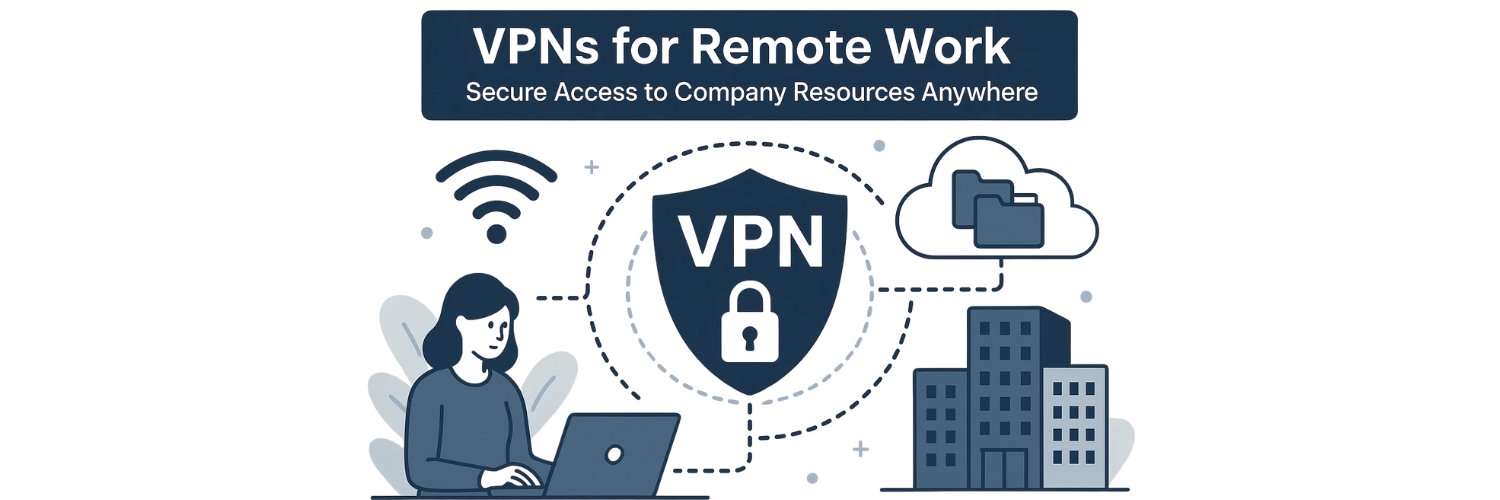
Working remotely gives you freedom, but it also exposes you to risks you don’t always see. Public Wi-Fi, shared networks, and unsecured connections can quietly put your files, passwords, and work tools at risk. That’s where a VPN for remote work becomes more than a nice-to-have — it becomes the layer of protection you rely on every day.
A good VPN keeps your connection private, your data encrypted, and your online identity out of reach from anyone who shouldn’t have access to it. Whether you’re logging into company dashboards, joining video calls, or sending client files, the right VPN gives you a safer way to work from anywhere.
In this guide, you’ll see the best VPNs for remote work and the benefits you shouldn’t skip — written in a simple, human way that helps you understand what actually matters and why
What Is A VPN For Remote Work?
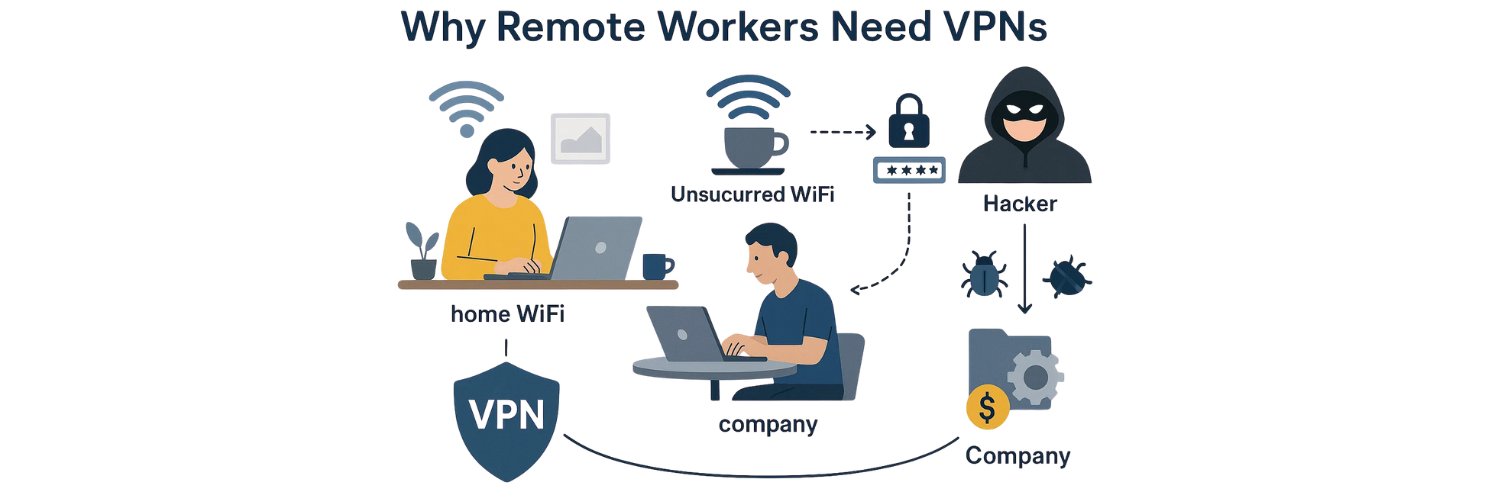
A VPN for remote work is a tool that creates an encrypted tunnel between your device and the internet. It gives you secure remote access to work tools, hides your IP address, and protects your data from anyone trying to intercept it. This same protection works whether you’re at home, in a café, on public Wi-Fi, or traveling abroad.
A VPN is simple at its core: it takes your connection, wraps it in encryption, and keeps it private. That means company files, login sessions, and cloud tools stay safe, even on networks you don’t fully trust. It’s a quiet layer of protection that works in the background so you can focus on your tasks without worrying about who might be watching.
Why Remote Workers Need A VPN (Real Situations, Not Theory)
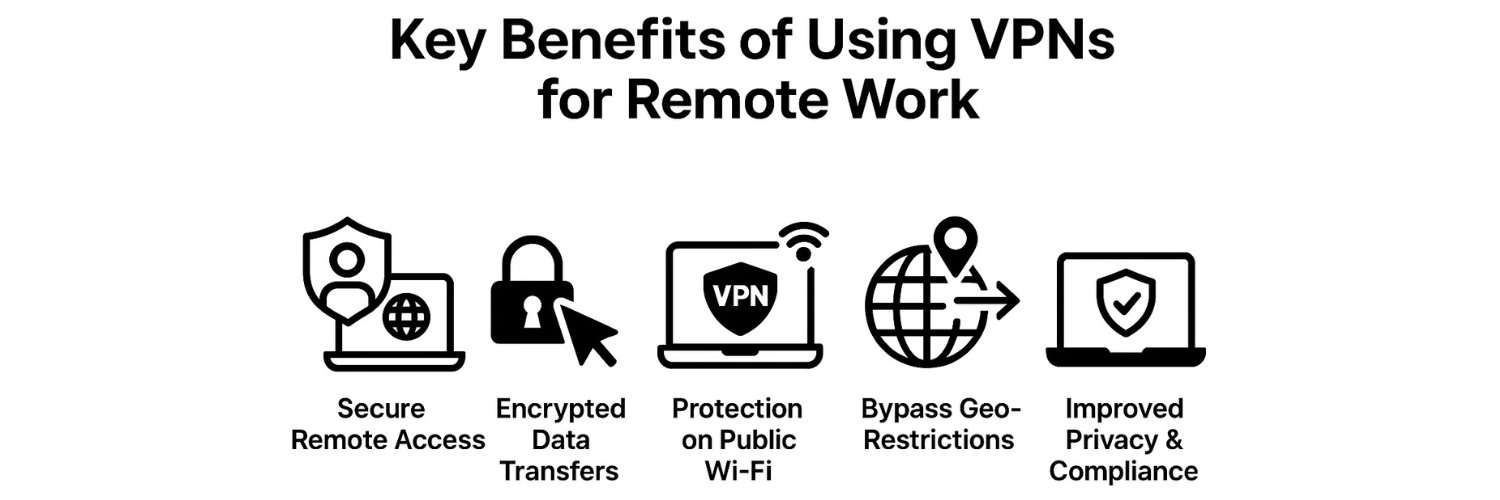
Working remotely sounds simple—you open your laptop, connect to Wi-Fi, and start your day. But the reality behind the scenes is very different. Every connection you make can expose your work files, login sessions, and identity if you’re not protected. A VPN steps in as the quiet layer of remote work security that keeps everything private and harder to target.
Below are the real situations where a VPN makes a clear difference.
Working On Public Wi-Fi
Cafés, airports, hotels, and coworking spaces are convenient, but their networks are wide open. Anyone on the same Wi-Fi can try to snoop on your traffic or create fake hotspots to lure you in. These setups make you vulnerable to man-in-the-middle attacks, where a hacker intercepts your connection without you noticing.
A VPN blocks this by encrypting every bit of traffic leaving your device. Even if someone captures it, they only see unreadable data. Your emails, passwords, and work tools stay protected, no matter how unsafe the network is.
Accessing Company Resources From Home Or Abroad
Remote work often involves internal dashboards, shared drives, cloud storage, and databases. These tools aren’t designed to stay exposed on the open internet. Without protection, anyone attempting to access them could put your company’s data at risk.
A VPN provides secure remote access, letting only approved devices reach internal systems. It creates a private path from your laptop to your company’s network, no matter where you are.
Protecting Sensitive Work Data
Client records, legal documents, financial reports, and internal files are all valuable targets. If your connection isn’t private, those files can be intercepted or monitored.
With a VPN, your data travels inside an encrypted tunnel. That means no unauthorized access, no unprotected file transfers, and no accidental exposure of sensitive information.
Remote Team Collaboration Tools
Remote teams rely heavily on tools like Slack, Teams, Zoom, Google Meet, and email. These platforms carry login tokens, messages, video streams, and shared files. Competitors rarely talk about this, but these tools can also be intercepted on weak networks.
A VPN protects collaboration tools by preventing session hijacking and keeping your communication private. Your calls, messages, and shared documents remain between you and your team.
Preventing Tracking And Location Exposure
Your IP address says more about you than most people realize—it reveals your city, region, and in some cases, the network you’re using. Without a VPN, websites, advertisers, and even your internet provider can track what you do online.
A VPN hides your real IP address behind one of its own. This reduces tracking, keeps your location private, and gives you more control over your digital footprint—especially when traveling or working abroad.
Bypassing Geo-Restrictions When Traveling
Many remote workers discover that certain dashboards, banking tools, and websites simply don’t load outside specific regions. Some business tools are locked by country, and others block traffic from “unusual” locations.
A VPN lets you choose the country you want to appear from so you can access region-locked work tools, use banking services, or open dashboards that would otherwise block you.
Protecting Cloud Login Sessions
Cloud apps like Google Drive, Dropbox, Notion, HubSpot, or your CRM carry sensitive data. If someone intercepts your login session, they might not need your password—they could steal your login token instead. Competitors rarely explain this risk.
A VPN adds a secure layer around these sessions, making it harder for attackers to intercept tokens or monitor activity. Your cloud tools stay private, even when you’re using Wi-Fi that isn’t fully trustworthy.
What Does A VPN Do For Remote Access Work? (Direct Answer)
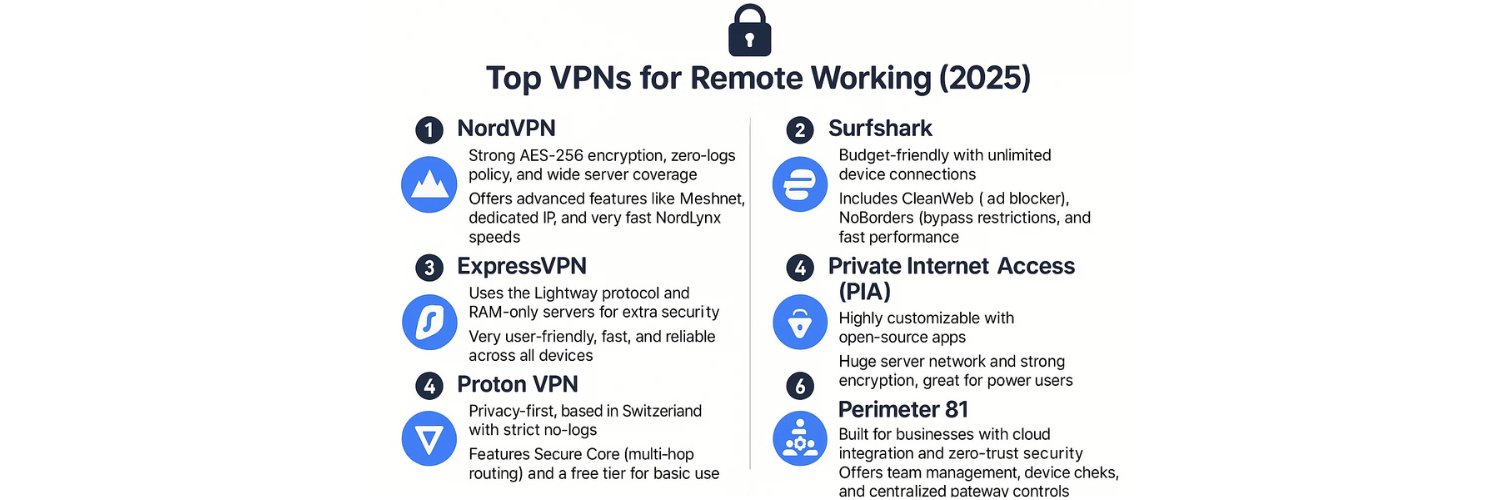
When you’re working away from the office, every connection you make becomes part of your security footprint. A VPN creates a secure channel that protects your remote access sessions so your work stays private, even on networks you don’t fully trust. Here’s the clearest way to see what it actually does:
A VPN:
Encrypts your connection so data can’t be read or intercepted.
Secures remote desktop access, keeping your sessions private.
Protects login sessions, including tokens and cookies.
Blocks MITM attacks on unsafe or public networks.
Hides your IP address, reducing tracking and exposure.
Safeguards cloud tools like Google Drive, Notion, or your CRM.
Prevents credential theft by protecting how you log in.
Secures file sharing when accessing internal documents or sending files.
Keeps remote access private and safe, wherever you’re working from.
How Does A VPN Keep You Secure When Working Remotely?
A VPN protects you by creating an encrypted tunnel, hiding your identity, and giving you a safer path to the tools you use every day. Each layer works together to reduce the chances of attacks, data leaks, or tracking. Here’s how the protection actually plays out.
Encryption Protects Your Data
A VPN encrypts everything you send or receive, which means anyone trying to intercept your traffic only sees unreadable data.
Cause: Your connection is encrypted.
Effect: Hackers can’t view or decode the information.
Result: Your files, login details, and browsing activity stay private.
IP Masking Prevents Targeting
Your IP address reveals your location and browsing patterns. A VPN hides that information behind one of its own IPs.
Cause: Your real IP is replaced.
Effect: Websites, advertisers, and threat actors lose their main tracking point.
Result: Your identity, location, and metadata stay out of reach.
Safe Path To Work Tools
Remote dashboards, drives, and cloud apps often carry sensitive information. A VPN creates a private route between your device and these tools.
Cause: Your traffic travels inside a secure tunnel.
Effect: No one can watch or interfere with your remote access session.
Result: Your work tools stay private, even on public Wi-Fi.
Blocking Interception And Session Hijacking
Attackers sometimes try to steal login tokens or intercept active sessions—especially on open networks. A VPN blocks this before it happens.
Cause: Your connection is protected against interception.
Effect: Hackers can’t capture your session cookies or tokens.
Result: Your accounts stay in your control, not theirs.
Preventing DNS And IP Leaks
Some networks leak DNS requests or reveal your true IP behind the scenes. A VPN seals those gaps.
Cause: DNS and IP information is routed through the VPN tunnel.
Effect: Leaks are prevented at the network level.
Result: Your browsing stays private, even when the network itself isn’t trustworthy.
Remote Work Security Risks Without A VPN
Working remotely without a VPN leaves more gaps open than most people realize. These risks don’t appear all at once—they creep in through weak networks, exposed sessions, and unprotected traffic. Here’s what you face when your connection isn’t protected:
Visible IP address, making your location and identity easy to track.
Public Wi-Fi exposure, where anyone on the network can snoop on your activity.
MITM attacks that quietly intercept your traffic on open networks.
Data interception targeting files, messages, and login details.
DNS leaks that reveal what sites you visit, even if pages look secure.
Employer or ISP tracking, especially if you’re using home networks without protection.
Remote desktop vulnerability, where attackers try to break into open RDP sessions.
Session hijacking that steals login tokens from cloud tools and email.
Password theft through unencrypted connections or phishing on unsafe Wi-Fi.
Compliance violations for teams handling regulated data like health or financial records.
Risky cloud access, where apps like Drive, Dropbox, or CRM tools can be intercepted.
Higher chance of malware spread across shared drives and internal systems.
Device theft exposing work accounts, especially if your sessions aren’t protected by encryption.
Related links
Types Of VPNs For Remote Work (Simple And Clear)
Not every remote worker needs the same kind of VPN. The right choice depends on how you work, what you access, and whether you’re connecting alone or as part of a team. Here’s a clear breakdown of the main types you’ll come across.
Personal VPN
A personal VPN is the go-to option for freelancers, contractors, and digital nomads who move between different networks. It protects your connection on public Wi-Fi and keeps your browsing private without requiring any technical setup. You install the app, turn it on, and your traffic stays encrypted wherever you work.
Business Or Corporate VPN
A business VPN is built for teams that need access to internal dashboards, shared drives, and private servers. It gives companies control over who can access what, and it often includes features like central user management and dedicated IP addresses. This setup works well for teams that rely on structured access to company resources.
Remote Access VPN
This is the most common type you’ll see in remote work. A remote access VPN creates a direct, secure path from your device to your company’s network. It works well for home offices or situations where you need to log in to internal systems without exposing them to the public internet.
Site-To-Site VPN
A site-to-site VPN connects entire office networks to each other. You see this more with larger organizations that have multiple buildings, branches, or data centers. Instead of individual devices connecting separately, whole networks communicate as if they were in one place.
Zero Trust / Mesh VPN (Advanced)
Zero trust or mesh-style VPNs take a different approach by treating every device as untrusted until verified. Tools like OpenVPN or Tailscale use this method to support distributed teams that work across different countries or networks. It’s more advanced, but it gives flexible and controlled access across many devices.
Key VPN Features Remote Workers Should Look For
Choosing a VPN isn’t about picking the flashiest option — it’s about finding the one that keeps your work private without slowing you down. Each feature below plays a different role in protecting your connection. Here’s what they mean in real terms, why they matter, and what you gain from having them.
Strong Encryption (AES-256, WireGuard, OpenVPN)
What it is: Encryption scrambles your data so no one can read it.
Why it matters: Hackers, third parties, or anyone on the same network can’t make sense of your traffic.
Result: Your files, messages, and browsing stay private everywhere you work.
No-Logs Policy
What it is: A promise that the VPN won’t record your activity or identify you.
Why it matters: If nothing is stored, nothing can be shared or leaked.
Result: Your online behavior remains between you and your device.
Kill Switch
What it is: A safety feature that cuts your internet if the VPN disconnects.
Why it matters: Without it, exposed traffic could leak through without you noticing.
Result: Your connection never runs unprotected, even for a moment.
Multi-Device Support
What it is: Ability to secure your laptop, phone, tablet, and more under one account.
Why it matters: Most remote workers switch devices throughout the day.
Result: Every device you use stays protected.
Fast Speeds + ISP Throttle Protection
What it is: Efficient VPN protocols that keep your connection stable.
Why it matters: Video calls, uploads, and browser tabs all rely on speed.
Result: You work without interruptions, freezes, or long loading times.
Large Server Network
What it is: Many servers in different countries.
Why it matters: More options mean less crowding and better performance.
Result: You get stable, consistent speeds wherever you are.
Auto-Connect On Public Wi-Fi
What it is: A feature that activates the VPN the moment you join an unsafe network.
Why it matters: Public Wi-Fi is one of the biggest attack points for remote workers.
Result: Your connection becomes protected automatically, without relying on memory.
DNS/IP Leak Protection
What it is: A safeguard that prevents your true IP or DNS requests from slipping out.
Why it matters: Leaks can reveal your activity even while connected to a VPN.
Result: Your identity and browsing stay private at all times.
Split Tunneling
What it is: The option to choose which apps use the VPN and which don’t.
Why it matters: Some tools work better outside the VPN, while others should stay protected.
Result: You control how your connection behaves without slowing everything down.
Stable Performance For Video Calls
What it is: VPN infrastructure that supports consistent, high-quality calling.
Why it matters: Remote work often relies on Zoom, Teams, or Meet.
Result: Clearer calls, fewer drops, and a smoother workflow.
Dedicated IP (Good For Remote Desktop)
What it is: A unique, fixed IP address assigned only to you.
Why it matters: Many companies restrict access to approved IPs for remote desktop tools.
Result: You get reliable access without connection errors or security blocks.
Good Customer Support
What it is: Real assistance when you run into setup or connection issues.
Why it matters: Remote workers can’t afford long downtime.
Result: You get quick fixes so your workday isn’t disrupted.
Reliable App Quality
What it is: An app that runs smoothly across devices without freezing or crashing.
Why it matters: You depend on the VPN running quietly in the background.
Result: Fewer interruptions and a more stable work experience.
Simple Onboarding
What it is: A clear setup process that doesn’t require technical knowledge.
Why it matters: The easier it is to start, the faster you can protect your connection.
Result: You’re fully secured in minutes, not hours.
Best VPNs For Remote Work (Clear, Practical Recommendations)
Choosing a VPN gets easier when you match the tool to your workflow. Here are six strong options remote workers consistently rely on, each with a different strength. This section helps readers decide without guessing or comparing endless lists.
1. NordVPN — Best Overall For Remote Work
NordVPN gives you a balanced mix of speed, security, and reliability.
It works well for daily remote access, video calls, and cloud tools.
Why it fits remote work:
Strong encryption + excellent speed
Large server network
Solid for public Wi-Fi
Good for long-term use
Best for: Employees, hybrid teams, and anyone who needs stable remote access.
2. Surfshark — Best Budget VPN With Unlimited Devices
If you work across a laptop, phone, tablet, and maybe a second laptop, Surfshark is a good fit.
Why it fits remote work:
Unlimited device connections
Clean interface
Good speed for calls and file sharing
Affordable
Best for: Freelancers, contractors, and digital nomads with many devices.
3. ExpressVPN — Best For Frequent Travelers
ExpressVPN performs well on restrictive networks, making it ideal for remote workers who move around.
Why it fits remote work:
Consistent speed worldwide
Strong privacy
Easy setup
Very stable on hotel/airport Wi-Fi
Best for: People who work abroad or connect from changing locations.
4. Proton VPN — Best Privacy-Focused VPN
If your role involves sensitive data — legal work, financial documents, security tasks — Proton VPN is a strong option.
Why it fits remote work:
Strict no-logs policy
Strong encryption
Works well for secure cloud access
Built by a privacy-focused team
Best for: Security-conscious users, researchers, and privacy-heavy roles.
5. Norton Secure VPN — Best From A Known Brand
Norton’s VPN is simple and fits users who want a trusted name behind the product.
Why it fits remote work:
Easy for beginners
Works well across multiple devices
Good for basic remote access
Best for: Users who want a familiar, simple VPN without many technical settings.
ClimaxVPN — Best Value For Teams And Multi-Device Work
ClimaxVPN offers fast speeds, strong privacy, and support for up to 10 users with unlimited devices, making it practical for anyone who works across several tools or manages small remote teams.
Why it fits remote work:
Fast, stable connections for calls and daily tasks
Strong no-logs policy
Split tunneling + DNS leak protection
Works well on public Wi-Fi and restrictive networks
Best for: Teams, freelancers with many devices, and remote workers who want strong performance at a low monthly cost.
Updated Summary Table: Best Fit By Use Case
Use Case | Best VPN |
Overall remote work | NordVPN |
Many devices | Surfshark |
Remote work while traveling | ExpressVPN |
High privacy needs | Proton VPN |
Beginners | Norton Secure VPN |
Team-friendly & budget-friendly | ClimaxVPN |
Remote Working VPN Solutions (When You Need More Than A Basic VPN)
Most people think a VPN is only for hiding an IP address or protecting public Wi-Fi sessions. But in real remote work environments, a basic VPN isn’t always enough. Some teams need stronger control, safer access paths, and more stable performance across different tools and locations. That’s where advanced VPN solutions come in — the ones designed around secure remote access, cloud workflows, and the day-to-day realities of distributed teams.
Below are situations where a stronger VPN setup makes a noticeable difference.
Distributed Teams Needing Secure Access
When your team works across different homes, coworking spaces, or countries, your company data moves with them. Every login, file, and dashboard request needs protection.
A more advanced VPN gives you a private network for the whole team, so internal tools stay accessible only through secure tunnels.
Result: Your team works from anywhere without exposing company systems to the open internet.
Remote Developers Accessing Code Repositories
Developers often connect to sensitive systems — Git repositories, staging servers, internal APIs, and build tools. These connections carry high-value data that shouldn’t travel unprotected.
A stronger VPN setup adds a stable, encrypted path to these resources and reduces the risk of unauthorized access or injected traffic.
Result: Development work flows normally, even when done from home or overseas.
Customer Support Agents Using Cloud Apps
Support teams rely heavily on CRM platforms, ticketing systems, and shared knowledge bases. These tools contain personal customer information, which makes them prime targets for attackers.
A VPN keeps these sessions private, preventing anyone from monitoring or intercepting support logins.
Result: Customer data stays protected, even on shared Wi-Fi.
Remote Sales Teams Using CRM Tools
Sales teams often work on the road, switching between hotel Wi-Fi, mobile hotspots, and office networks. Their CRM data — leads, communication notes, and account records — needs a consistent layer of defense.
A VPN helps keep login sessions private, protects access to internal dashboards, and prevents IP-based restrictions when traveling.
Result: Sales teams stay connected to their tools without putting sensitive information at risk.
Freelancers Handling Client Data
Freelancers often manage contracts, design files, financial details, and private communication on personal devices. Without protection, these files can be exposed through weak networks or unencrypted transfers.
A reliable VPN secures cloud access, keeps file sharing private, and prevents leaks from public Wi-Fi sessions.
Result: Client work stays confidential, which builds trust and reduces risk.
International Remote Staff Needing Geo-Free Access
Some tools simply don’t work the same in every country. Banking logins, internal dashboards, and region-locked services may block foreign traffic.
A VPN lets remote staff appear from their home region so they can use tools without interruption.
Result: No more blocked dashboards, failed logins, or unexpected “service not available in your region” messages.
Secure File Sharing + Cloud Access Control
Whether you’re sending large files, opening shared documents, or collaborating inside cloud platforms like Drive, Dropbox, Notion, or a company CMS — those actions create small windows attackers can exploit.
A stronger VPN setup protects these workflows by encrypting file transfers and controlling which devices can access shared folders.
Result: Your cloud tools stay private, and your shared files remain in trusted hands.
How To Use A VPN For Remote Work (Clear Steps)
Using a VPN doesn’t need to feel technical or complicated. Once it’s set up, it simply runs in the background and protects every part of your workday. Here’s a clear, practical walkthrough that helps you stay safe no matter where you connect from.
1. Choose A Reliable VPN
Start with a provider known for strong encryption, stable speeds, and a solid no-logs policy. This choice shapes the rest of your experience, so pick one you trust.
2. Install It On Your Laptop, Phone, And Tablet
Remote work often moves across devices. Installing the VPN on all of them ensures every connection you make — at home or outside — stays protected.
3. Turn On The Kill Switch
A kill switch stops your device from sending unprotected data if the VPN disconnects. It’s a simple toggle that prevents accidental exposure, especially during sensitive tasks.
4. Enable Auto-Connect On Public Networks
Most VPN apps let you set rules for when the connection should activate automatically. Turning on auto-connect for public Wi-Fi keeps you safe the moment you join a café, airport, or hotel network.
5. Pick A Nearby Server For Speed
A server closer to your physical location usually gives you the best speed and stability. This matters for video calls, uploads, and switching between multiple work apps.
6. Use A Foreign Server For Region-Locked Tools
Some work dashboards or banking tools only open when you appear to be in a specific country. Switching to a server in that region helps you access what you need without interruptions.
7. Keep The VPN On While Using Any Work-Related Tool
Whether you’re checking email, joining a meeting, or logging into a cloud platform, leave the VPN running. It protects each session continuously and quietly.
8. Log Out When Finished
Once you’re done for the day, close your sensitive tabs and sign out of work accounts — especially if you use a shared or public device. The VPN keeps things private, but logging out adds an extra layer of safety.
Best Practices For Staying Secure While Working Remotely
A VPN protects a big part of your connection, but your habits matter just as much. Remote work blends home networks, public Wi-Fi, cloud tools, and personal devices — all of which can expose your information if you’re not careful. These practical steps help you stay safe every day without overthinking it.
Turn VPN On Before Opening Any Work Tool
Make it a habit to switch on your VPN first. This ensures every login, message, and file transfer is protected from the start, not halfway through your session.
Use MFA On All Work Accounts
Multi-factor authentication adds an extra step when signing in, but it keeps attackers out even if they get your password. It’s one of the simplest ways to protect your accounts.
Update Your VPN App And OS
Updates often include important security fixes. Keeping your devices current reduces the chances of someone exploiting old software.
Avoid Free VPNs
Free VPNs often log data, cap speeds, or inject ads. Some even sell user information. For remote work, you need a service that protects your privacy instead of trading it.
Lock Your Device When Moving Around
A quick screen lock stops anyone from glancing at sensitive information or accessing open tabs when you step away — especially in public or shared spaces.
Use A Secure Home Routerlog
Your home network is part of your security. Changing the default router password, enabling WPA3 if available, and updating the firmware keep unwanted visitors out.
Don’t Click Unknown Links
Phishing emails remain one of the most common attack methods. If a link feels off, don’t open it. When in doubt, check with your team or access tools through direct URLs.
Use Strong Passwords Or A Password Manager
Complex passwords reduce the risk of account breaches. A password manager makes it easier to handle long, unique passwords without trying to remember them all.
Log Out Of Accounts On Shared Devices
On shared computers, logging out protects your work sessions from the next person who uses the machine. It’s a small step that prevents accidental access.
Choose A Server Close To Your Location For Speed
A nearby server usually gives you the most stable connection. This matters for video calls, large uploads, and switching between multiple tools.
Use Split Tunneling For Work Apps When Needed
Split tunneling lets you route only your work apps through the VPN while leaving others on your normal connection. It can improve performance when you don’t need everything inside the tunnel.
Keep Work And Personal Browsing Separate
Mixing both increases the risk of cross-contamination — one unsafe site can expose your entire work session. Keeping them separate helps protect your tools and data.
How To Choose The Best VPN For Remote Work (Checklist)
The right VPN should make your workday safer without slowing you down or adding complexity. This checklist gives you a clear way to evaluate any service and see if it actually fits remote work needs. Each point highlights what matters most for security, speed, privacy, and day-to-day reliability.
1. Strong Encryption
Your VPN should use proven protocols like WireGuard or OpenVPN. This keeps your data protected during every connection.
2. No-Logs Policy
A trustworthy VPN doesn’t record what you do online. If no data is stored, nothing can be exposed later.
3. Kill Switch
This feature prevents your device from sending unprotected traffic if the VPN disconnects. It’s essential for privacy.
4. Fast Speeds + Stable Performance
Remote work relies on calls, cloud apps, and constant switching between tools. A good VPN keeps things smooth.
5. Large Global Server Coverage
More servers mean more choices, better stability, and fewer slowdowns. It also helps when traveling abroad.
6. Multi-Device Support
You should be able to protect your laptop, phone, and tablet under one account. Remote work rarely happens on a single device.
7. Dedicated IP Option
Some companies restrict access to approved IPs for security reasons. A dedicated IP helps with remote desktop tools and internal systems.
8. Good Usability
The app should be easy to navigate and reliable. A VPN that constantly disconnects or freezes becomes a problem instead of a solution.
9. Transparent Privacy Policy
You should always know what the VPN collects, why it collects it, and how it protects your data.
10. Fair Pricing
A strong VPN doesn’t need to be expensive. Look for balanced pricing without hidden limits or data caps.
Bonus Question: Does The VPN Work Well On Public Wi-Fi?
This is often overlooked, yet it’s one of the most important factors for remote workers. Some VPNs struggle on café or airport networks, while others connect instantly. Choose one that handles public Wi-Fi reliably—it’s where you need protection the most. Learn more about the risks and what to look for here:VPNs for public Wi-Fi protect.
Conclusion
A VPN is one of the easiest ways to keep your remote work safe. It protects your data, accounts, and login sessions with a secure, encrypted connection you can rely on every day. Whether you’re working from home, a café, an airport lounge, or halfway across the world, your information stays private.
It also removes the stress of wondering who can see your traffic or whether a network is safe. With the right VPN running in the background, you can focus on your tasks, stay productive, and work with confidence — no matter where your day takes you.
FAQs
1. Why Do Remote Workers Need A VPN?
Remote workers need a VPN to protect their data, hide their IP address, and keep their connection private on networks that aren’t fully safe. It creates a secure path for work tools, files, and login sessions.
2. What Does A VPN Do For Remote Access Work?
A VPN encrypts your connection, protects login sessions, prevents interception, and keeps remote access safely out of reach from anyone trying to monitor or attack your traffic.
3. How Does A VPN Keep You Secure When Working Remotely?
It uses an encrypted tunnel to protect your data, hides your IP, blocks session hijacking, and prevents DNS or IP leaks that could expose your activity.
4. What Is The Best VPN For Remote Work?
The best VPN is one that delivers strong encryption, steady speeds, a no-logs policy, and dependable performance on public Wi-Fi. It should also support multiple devices and offer a kill switch.
5. Should I Use A VPN On Public Wi-Fi When Working Remotely?
Yes. Public Wi-Fi is one of the easiest places for attackers to intercept your data. A VPN keeps your traffic private and encrypted.
6. Do I Need A VPN At Home If I Work Remotely?
Yes. Home networks can still expose your IP, browsing activity, and work sessions. A VPN adds a protective layer even on your private router.
7. Can I Use A Free VPN For Remote Work?
You can, but it’s not recommended. Free VPNs often log data, limit speeds, and lack strong security. For work, your connection needs reliable protection.
8. Does A VPN Slow Down Internet Speeds While Working?
A slight drop can happen because your traffic is encrypted, but a good VPN keeps speeds stable and fast enough for meetings, uploads, and daily tasks.
9. What Happens If My VPN Disconnects While Working?
If your VPN has a kill switch, your connection stops immediately to prevent data leaks. Without one, your traffic may briefly run unprotected.
10. Should Freelancers And Contractors Use A VPN For Work?
Yes. Freelancers often handle client files or sensitive information. A VPN keeps those connections private and reduces the risk of exposure on public or shared networks.
11. Is Using A VPN Legal For Remote Work?
Yes, using a VPN is legal in most countries. If you’re traveling, it’s worth checking local rules, but for typical remote jobs, a VPN is allowed and common.
12. How Do I Pick The Right VPN For Remote Work?
Choose a VPN with strong encryption, good speeds, a no-logs policy, a kill switch, clear usability, and reliable performance on public Wi-Fi. A large server network and fair pricing also help ensure long-term value.
Tags

About VPNTest
Content Specialist with expertise in cybersecurity and online privacy. Sarah has been testing and reviewing VPN services for over 5 years and regularly contributes to leading tech publications.
View all articles by VPNTest →


Never Miss an Article
Subscribe to our newsletter to receive the latest VPN guides, security tips, and industry news directly in your inbox.