


When using a VPN, your IP address should remain consistent for the entire duration of your session—unless the VPN intentionally rotates it. But many users experience VPN IP switching issues, where the assigned public IP changes unexpectedly. This can break streaming sessions, log you out of websites, trigger CAPTCHA challenges, cause banking verification failures, or disrupt P2P activity.
This comprehensive guide explains exactly how to detect, diagnose, and fix VPN IP switching problems using both manual and automated testing methods. It also includes advanced troubleshooting steps, technical background, and recommended tools from VPNTest.pro.
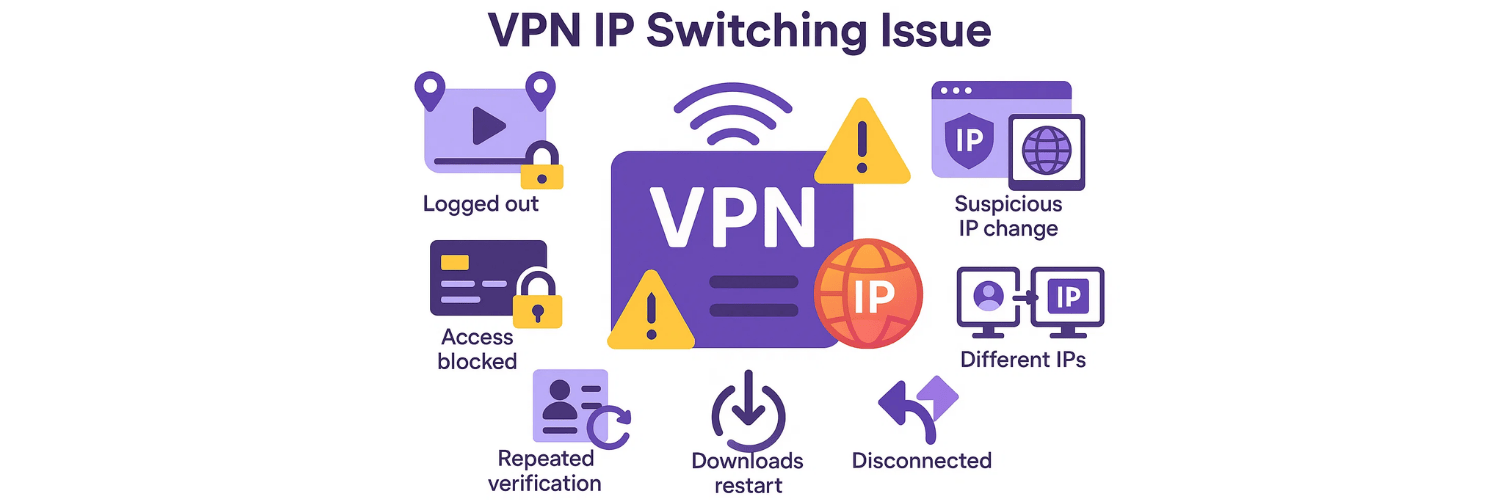
What Is a VPN IP Switching Issue?
A VPN IP switching issue occurs when your public IP address changes unintentionally while connected to a VPN server. This can happen every few minutes, hourly, randomly, or when the server is overloaded.
Common symptoms:
Streaming apps log you out or display location errors.
Banking apps block access due to "suspicious IP changes."
Websites ask for repeated verification.
Downloads restart or break.
P2P trackers disconnect.
VPN testers show different IPs during a single session.
IP switching becomes a major privacy risk because:
Your traffic may temporarily use a different exit node.
Some apps detect these changes and label them as suspicious.
In certain cases, this can reveal patterns that correlate your identity.
Why Does a VPN Change Your IP Address Without Warning?
This issue happens due to several reasons:
1. Server Load Balancing
If many users join a single server, the VPN provider may dynamically move you to another server node, resulting in a new IP.
2. Server Failover
When a server becomes unstable or goes offline, the VPN client switches to the next closest server automatically.
3. Virtual Server Architectures (VPS clusters)
Some VPNs use virtual server clusters that assign floating IP addresses. Instability in the cluster causes periodic IP changes.
4. Misconfigured Protocols
Certain protocols (e.g., WireGuard) use key regeneration cycles that may force session renegotiation and IP changes.
5. NAT Pool Exhaustion
If the NAT pool is full, your external IP can switch when the VPN reassigns addresses.
6. ISP Interference (rare but possible)
If a VPN tunnel becomes unstable due to ISP throttling or packet loss, the VPN reconnects automatically, switching the IP.
What Are the Risks of VPN IP Switching?
Risk | Impact |
Privacy Leak | Sudden switching can expose patterns of behavior. |
Streaming Failure | Netflix, Hulu, and BBC detect mismatched IP sessions. |
Banking Lockouts | Banking apps see IP switching as fraud. |
P2P Disconnects | Torrents drop connections or restart. |
CAPTCHA Flood | Websites force constant human verification. |
If you're using a VPN for streaming, privacy, or security, IP switching is a big problem.
How Can You Detect VPN IP Switching Issues in Real Time?
Detecting IP switching requires continuous monitoring, not a one-time test.
Here’s how to do it:
How Do You Manually Monitor Your VPN IP for Changes?
Method 1: Refresh Any IP Checker Every Few Minutes
Visit a site like:
WhatIsMyIP
IPinfo
IPLeak
Refresh the page repeatedly. If the IP changes—even once—your VPN has an IP switching issue.
How Can You Automatically Detect IP Switching Using a VPN Tester Tool?
The best way to monitor unexpected IP changes is using a dedicated VPN tester, which constantly checks your IP, DNS, and WebRTC.
VPNTest.pro offers detailed guidance on how VPN testing tools work:
👉 https://vpntest.pro/blog/what-is-a-vpn-tester
These tools automate the detection process by:
Logging your IP repeatedly
Tracking all DNS resolvers
Monitoring WebRTC outputs
Checking server country stability
A good example is VPNTest.pro’s free online VPN test tool:
👉 https://vpntest.pro/blog/free-online-vpn-test
This tool detects:
IP leaks
DNS leaks
WebRTC leaks
Mismatched geolocations
IP switching during active sessions
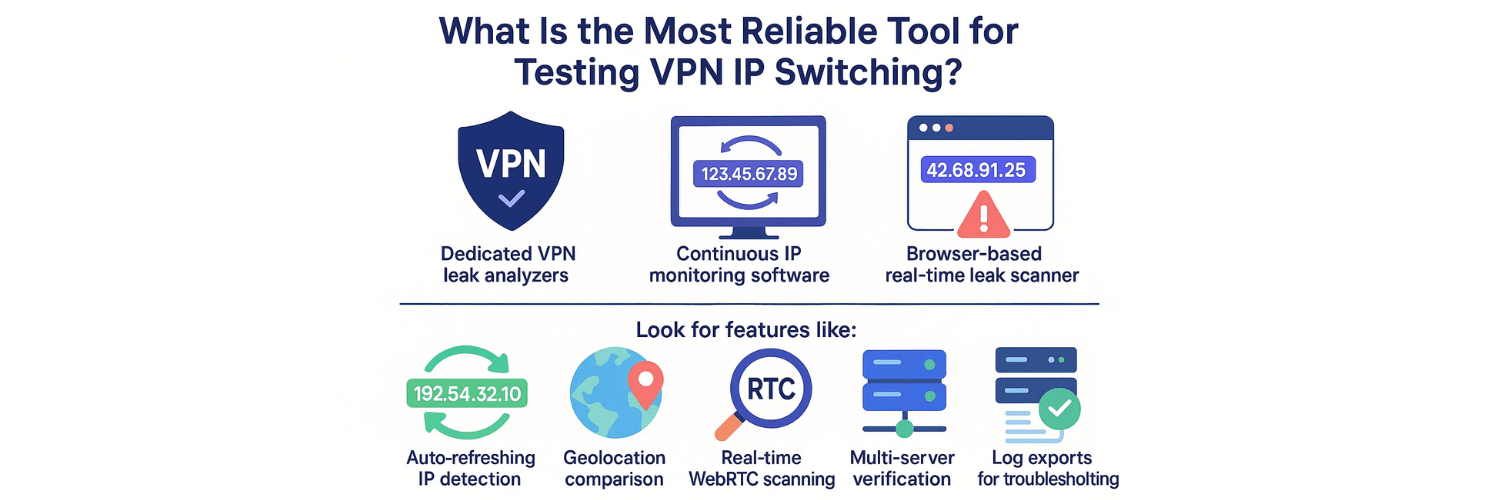
What Is the Most Reliable Tool for Testing VPN IP Switching?
VPNTest.pro also recommends reliable testing utilities based on long-term benchmarks:
👉 https://vpntest.pro/blog/best-tool-testing-vpn
Some tools include:
Dedicated VPN leak analyzers
Continuous IP monitoring software
Browser-based real-time leak scanners
Look for features like:
Auto-refreshing IP detection
Geolocation comparison
Real-time WebRTC scanning
Multi-server verification
Log exports for troubleshooting
How Do You Test for VPN IP Switching Using VPNTest.pro?
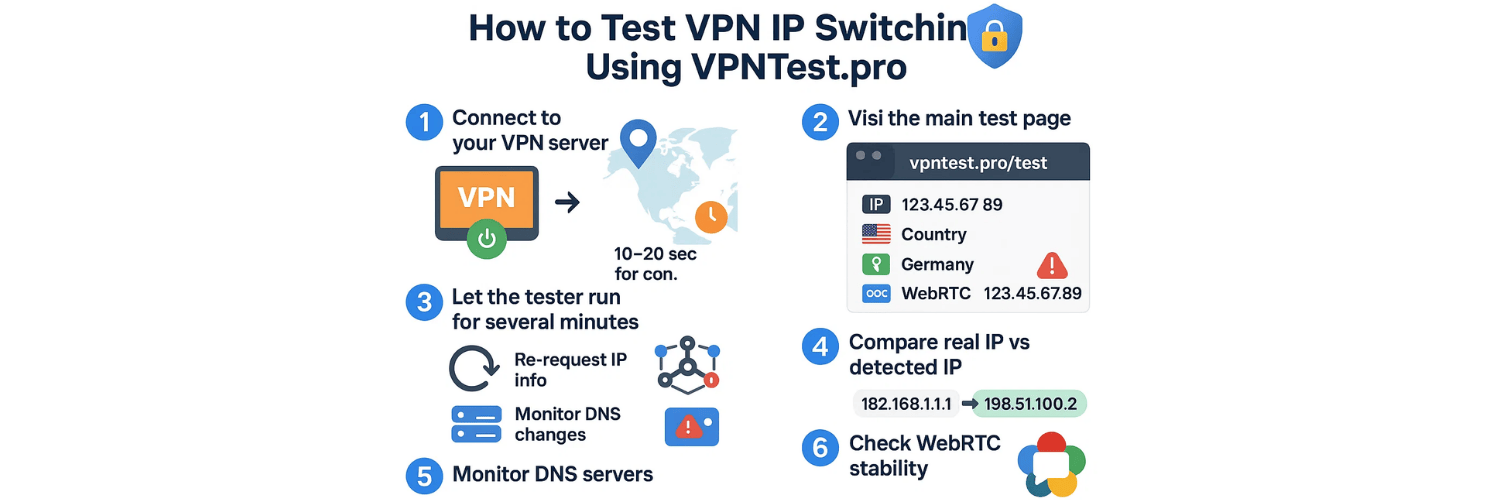
Step-by-Step Guide
1. Connect to Your VPN Server
Choose the country you want to test.
Wait 10–20 seconds for the connection to stabilize.
2. Visit the Main Test Page
This page immediately shows:
Public IP
Country
DNS location
WebRTC address
3. Let the Tester Run for Several Minutes
The tool automatically:
Re-requests IP info
Monitors DNS changes
Tracks WebRTC session IPs
If any values change, the tool highlights anomalies.
4. Compare Real IP vs Detected IP
If at any point the detected IP changes → you have a switching issue.
5. Monitor DNS servers
Even if your IP stays stable, DNS servers may rotate.
This also breaks streaming and app logins.
6. Check WebRTC Stability
Some VPNs fail to mask WebRTC 100% of the time.
This creates inconsistent IP behavior.
What Is the Difference Between Normal VPN Rotation and IP Switching?
Normal Rotation
Intentionally changes your IP every 10–30 minutes
Controlled and documented
Used for anonymity (like Tor)
IP Switching Issue
Unintentional
Random
Caused by instability
Breaks apps and streams
Risky for privacy
If your VPN does not advertise “IP rotation,” then any IP change is a problem.
What Advanced Tests Can Identify IP Switching Problems?
1. Packet Capture Test (PCAP)
Use Wireshark to capture traffic.
Look for:
Handshake renegotiations
Tunnel resets
Re-auth events
If you see repeated TLS/SSL renegotiations → the VPN server is unstable.
2. Tunnel Keep-Alive Checking
Ping the VPN gateway repeatedly:
ping -t <VPN_gateway_IP>
Packet loss indicates reconnection events → potential IP switching.
3. Detecting NAT Pool Fluctuations
Monitor your NAT mapping via:
netsh interface portproxy show all
If the endpoint mapping changes → your public IP may change.
4. WebRTC Session Observer Tools
Use browser tools like:
chrome://webrtc-internals
Check if the ICE candidate changes mid-session.
If yes, your WebRTC or VPN tunnel is unstable.
How Do You Fix VPN IP Switching Issues?
1. Switch to a Different Server
Overloaded servers switch IPs more often.
2. Change the VPN Protocol
Recommended stable protocols:
OpenVPN TCP
IKEv2
WireGuard (with persistent keepalive enabled)
Avoid:
OpenVPN UDP (unstable on mobile networks)
3. Disable WebRTC
WebRTC can leak or rotate your visible IP.
Use browser extensions:
WebRTC Leak Prevent
uBlock Origin (WebRTC control)
4. Avoid Virtual Server Locations
Geofaked servers = high switching probability.
Choose physical servers instead.
5. Use Dedicated IP (if streaming or banking)
Dedicated IP solves:
IP switching
CAPTCHA loops
Streaming location errors
Banking app blocks
6. Restart the VPN App Completely
Some switching occurs because of:
Half-connected tunnels
Failed DNS resolvers
Restart fixes both.
7. Update the VPN Client
Old clients often cause session resets → IP changes.
8. Avoid ISP networks that disrupt tunneling
Mobile ISPs sometimes force NAT refresh intervals.
Use stable Wi-Fi when possible.
Which VPNs Are Worst for IP Switching?
Based on testing from professional tools:
Frequent Switchers
Free VPNs
Browser VPN extensions
VPS-based VPNs
Underfunded providers with overloaded servers
Rare Switchers
NordVPN
ExpressVPN
Surfshark
ProtonVPN
Private Internet Access
These use better server infrastructure and predictable IP pools.
How Often Should You Test for IP Switching?
For security-focused users:
Test once a week
For streamers:
Test before using Netflix/Hulu/BBC
For business or banking:
Test daily or use dedicated IP
Conclusion: How Important Is It to Detect VPN IP Switching Issues?
IP switching is not a small inconvenience—it affects:
✔ Privacy
✔ Streaming
✔ Banking
✔ P2P
✔ Device security
✔ Online behavior tracking
Using tools like VPNTest.pro helps you monitor:
IP changes
DNS leaks
WebRTC leaks
Session stability
Since IP switching exposes your identity patterns, detecting and eliminating it is critical for safe VPN usage.
10 Comprehensive FAQs
1. What is VPN IP switching and why does it happen?
VPN IP switching occurs when your public IP address changes during an active VPN session. It happens due to server overload, NAT pool rotation, protocol renegotiation, automatic failover, or unstable virtual server clusters.
2. How does IP switching affect streaming and banking apps?
Streaming platforms (Netflix, Hulu, BBC iPlayer) detect location inconsistencies when your VPN IP changes mid-session, causing playback errors. Banking apps interpret sudden IP switching as suspicious activity, triggering 2FA challenges or blocking access entirely.
3. What is the best way to test if my VPN is switching IPs?
The most reliable method is using a continuous IP monitoring tool such as the one described at https://vpntest.pro/blog/what-is-a-vpn-tester. These tools repeatedly check your IP, DNS, and WebRTC addresses to detect session instability.
4. How can VPNTest.pro help detect IP switching issues?
VPNTest.pro offers:
Real-time IP and DNS leak testing
Automatic IP re-checking
WebRTC stability scanning
IP switching alerts
Their main test suite is accessible at https://vpntest.pro/test and works for free.
5. Can DNS leaks happen even if the IP doesn’t switch?
Yes. Even with a stable IP, DNS resolvers may rotate, causing mismatched geolocation signatures. This can break apps and trigger blocks similar to IP switching issues. Tools from https://vpntest.pro/blog/free-online-vpn-test detect both.
6. Why do free VPNs switch IPs more often?
Free VPNs generally use overloaded servers, small IP pools, and unstable virtual infrastructures. They regularly reset sessions to manage traffic, which causes frequent IP rotation and connectivity drops.
7. How can I prevent my VPN from switching IPs?
You can minimize IP switching by:
Changing to a less-loaded server
Switching to stable protocols (OpenVPN TCP, IKEv2, WireGuard with keepalive)
Disabling WebRTC leaks
Avoiding virtual or geofaked servers
Using a dedicated IP if stability is critical
8. Can WebRTC cause visible IP changes even if the VPN is stable?
Yes. WebRTC exposes local and sometimes public IP addresses separately from the VPN tunnel. If WebRTC leaks occur, it may appear as though the IP is switching. Disabling WebRTC or using a VPN with WebRTC protection resolves this.
9. How do I use packet capture tools to detect IP switching?
Tools like Wireshark allow you to monitor tunnel renegotiations, handshake failures, and reconnection events. If these occur repeatedly, your VPN may be switching IPs behind the scenes.
10. How often should I test for VPN IP switching issues?
For security-focused users, weekly testing is ideal. For streamers, test before each streaming session. For financial or business use, run a quick check daily using a reliable VPN tester such as those recommended athttps://vpntest.pro/blog/best-tool-testing-vpn.
Tags

About VPNTest
Content Specialist with expertise in cybersecurity and online privacy. Sarah has been testing and reviewing VPN services for over 5 years and regularly contributes to leading tech publications.
View all articles by VPNTest →




Never Miss an Article
Subscribe to our newsletter to receive the latest VPN guides, security tips, and industry news directly in your inbox.