

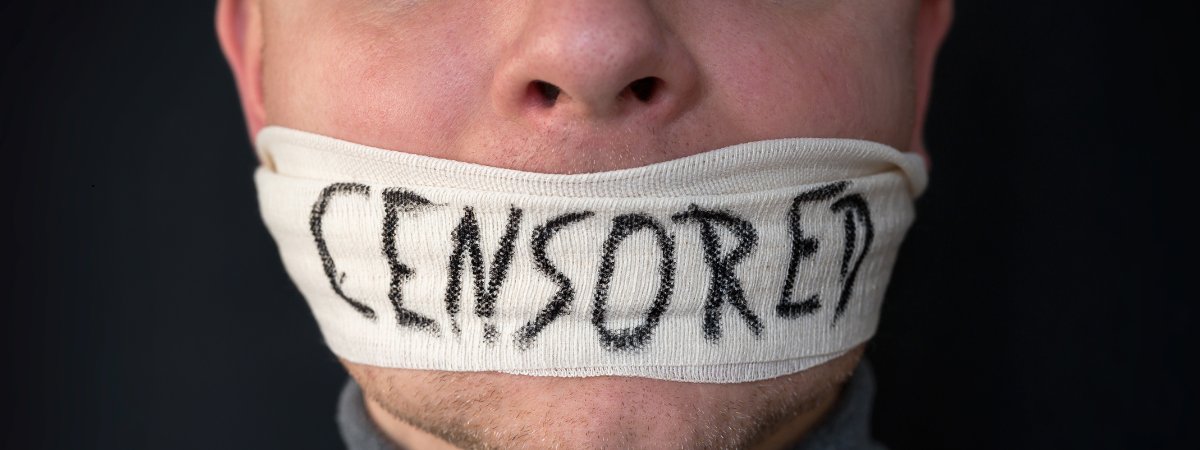
You click a link to read the news or watch a video — and instead see: “This site isn’t available in your region.”
It’s frustrating, but that message has become a normal part of online life.
Governments, internet providers, and even schools now use internet censorship and filtering to limit access to information. What used to be an open web is slowly turning into one filled with internet restrictions.
Still, you’re not powerless. You can bypass internet censorship and access blocked websites safely with the right tools. This guide explains why censorship happens, how it works, and how to beat it using reliable methods like VPNs and other proven solutions.
What Is Internet Censorship?
Internet censorship is when access to online information is restricted or blocked by someone in control of a network — often governments, internet service providers (ISPs), schools, or companies. It can mean anything from entire websites being banned to individual pages quietly disappearing behind error messages.
The reasons vary. Some countries block content for political or social control, others do it for economic gain or to enforce educational policies. In workplaces or schools, filtering is often used to limit distractions or control bandwidth use.
At its core, censorship is about control. It works through internet filtering, firewall blocks, and ISP monitoring that decide what you can or cannot access. In many regions, these systems are paired with heavy surveillance, where online activity is tracked in the name of “security.”
Whether the motive is safety or silence, the result is the same — your online privacy and freedom to explore the open web are compromised.
How Does Internet Censorship Work?
Censorship isn’t one single barrier — it’s a mix of network restrictions that decide what you can or can’t see online. Some methods are obvious, others are invisible but just as effective.
IP And DNS Blocking
Internet service providers (ISPs) often keep blacklists of banned sites or IP addresses. When you try to visit one, your request is blocked before it even leaves the network. In DNS blocking, the system that finds a website’s real address is tampered with — sending you to an error page or a fake site instead. This can cause over-blocking, where unrelated pages are blocked too.
Deep Packet Inspection (DPI)
Deep Packet Inspection acts like digital border control. It scans the data you send to spot patterns linked to VPN or HTTPS traffic. Even if encrypted, it can still be flagged. Some VPNs use “stealth” or obfuscated servers to disguise their traffic and bypass this layer of network censorship.
Keyword And Port Filtering
Some filters look for banned keywords in unencrypted data — blocking sites or messages that contain them. Others use port blocking, shutting down the digital “channels” used for services like VoIP, P2P, or VPNs, stopping those connections altogether.
Throttling And Network Shutdowns
When blocking isn’t enough, ISPs may use throttling, slowing connections to certain sites until they’re nearly unusable. In severe cases, entire regions face network shutdowns during protests or political tension.
These layers of internet restrictions show how censorship operates quietly yet effectively — shaping what information reaches you and what disappears.
Why VPNs Are The Most Reliable Way To Bypass Internet Censorship
A VPN (Virtual Private Network) creates a secure, encrypted tunnel between your device and a server in another location.
That tunnel does three practical things: it encrypts your traffic, it hides your IP address, and it sends your requests through a different network so local firewall blocks can’t stop them. In short, a VPN makes your connection look like it’s going to the VPN server — not the blocked site.
Most reliable VPNs use strong VPN protocols such as OpenVPN or WireGuard. Those protocols determine how data is encrypted and moved; WireGuard is fast and lightweight, OpenVPN is widely supported and robust. Choosing the right protocol helps with speed and stability on restricted networks.
When censors try to spot VPN traffic, some providers offer obfuscated servers or “stealth” modes. These hide the telltale signs of a VPN connection so DPI systems and other filters struggle to detect or block you. That’s why obfuscation is a key weapon in censorship circumvention tools for tough environments.
For instance, Climax VPN uses AES-256 and ChaCha20 encryption, obfuscation technology, and DNS-leak protection — features designed to keep connections hidden even in heavily restricted regions. It also supports up to 10 devices and unlimited traffic, making it a practical option for users who need stable access across multiple platforms.
For most people facing internet restrictions, a well-configured VPN is the simplest, safest, and most flexible option to access blocked websites and protect online privacy.
Step-By-Step – How To Bypass Internet Censorship Using A VPN

Bypassing censorship doesn’t have to be complicated — follow these clear steps to regain open, unrestricted access to the internet.
Choose A Reliable VPN
Pick a provider that uses strong encryption (look for AES-256), offers obfuscation/stealth mode, and has a strict no-logs policy.
Check that the provider runs servers in countries with open internet access — these servers make it easier to bypass firewalls and access blocked websites.
A quick note on cost: free VPNs can help in low-risk cases, but paid services generally offer better speed, obfuscated servers, and stronger privacy — important on restricted networks.
Not sure which VPN to trust? You can use our VPN comparison tool on VPNTest.pro to evaluate providers by speed, pricing, encryption, and privacy policies before choosing one that fits your needs.
Install The VPN App On Your Device
Download the official app from the provider’s website or an official app store and install it on every device you use.
Make sure you add it to Windows, macOS, Android, and iOS — most major providers also support Linux and smart TVs.
Install the app before you travel or before you need it, so you’re not stuck trying to download software from a blocked site.
Connect To A Server In A Free Country
Open the app and choose a server in a country known for open access (examples: Netherlands, Canada, Switzerland).
Connecting there changes your IP address so sites and services see the server’s location instead of yours.
If a server is blocked, try another country or use the provider’s obfuscated servers to hide VPN traffic from DPI systems.
Access The Blocked Website Or App
Once connected, try visiting the site or opening the app that was blocked.
This method works for news sites, social media, messaging services, and streaming platforms when the block is location or IP based.
If a site still won’t load, switch servers or try a different VPN protocol (OpenVPN or WireGuard) in the app.
Check If The VPN Works
Verify your connection by checking that your IP address and DNS are changed and that there are no leaks.
Use a testing tool to confirm — for example, run an IP/DNS leak test or use our testing page at /test-vpn to confirm the VPN is protecting you.
If the test shows leaks or your real location, enable the app’s leak protection features and try a different server or protocol.
Alternative Tools To Bypass Censorship (When VPNs Don’t Work)
When a VPN won’t pass the filters, these other tools can help you reach the sites and services you need.
Tor Browser
Tor routes your traffic through several volunteer-run relays, hiding where you’re coming from and where you’re going.
It’s one of the most robust options for anonymity and censorship resistance, but it’s slower than a VPN and some sites block Tor exit nodes.
Use Tor when privacy and avoiding tracking are more important than speed.
Proxy Servers
A proxy server forwards your connection through another computer, changing the IP that the service sees.
Proxies are useful for messaging apps like WhatsApp or Telegram when a full VPN isn’t available, but they often lack encryption and can expose your IP to the proxy operator.
Choose trusted proxies and avoid sending sensitive data through them.
Smart DNS And Encrypted DNS
Smart DNS changes how your device resolves domain names so you can bypass simple geo-blocks without rerouting all traffic.
Encrypted DNS (DNS-over-HTTPS or DNS-over-TLS) prevents ISPs from snooping or tampering with DNS lookups, but some governments block popular encrypted DNS endpoints.
These options work well for streaming and quick unblocking, but they don’t provide the broad encryption or IP hiding that a VPN offers.
TLS Fragmentation And Other Encryption Tricks
Academic work (for example, researchers at Paderborn) shows methods like TLS fragmentation that alter how encryption handshakes look to censors.
These approaches can make requests harder for DPI systems to parse while still being accepted by real websites.
They’re more technical and may require custom tools, but they point to practical engineering fixes when standard tools are blocked.
None of these tools is perfect for every situation. Pick the method that matches your threat level, the type of block you face, and how much speed or privacy you need.
Regional Examples – Where Censorship Is Strongest
Here’s where online restrictions are most visible — and how governments use different methods to control what people can access.
China: The “Great Firewall” is one of the most advanced censorship systems, blocking Google, YouTube, Facebook, and thousands of foreign websites under strict government control.
Iran: Heavy restrictions limit access to social media and Western news outlets. Many messaging apps and streaming platforms are permanently blocked or throttled.
Russia: The government targets independent news sites and has expanded VPN bans, forcing local ISPs to follow state censorship laws.
India / Turkey: These countries often impose temporary social media blocks during elections or protests to control public communication and online discussion.
These examples show how censorship laws vary but share the same goal — controlling what people can access and say online.
Is It Legal To Bypass Censorship With A VPN?
Legality depends on where you are. In many democratic countries — the US, most of the EU, and Canada — using a VPN to access blocked content is legal and commonly accepted.
Some countries treat VPNs differently. Places like China, Russia, Iran, and the UAE either restrict VPN use, require government-approved providers, or actively block unauthorized VPN traffic. These rules can include fines, service blocks, or other penalties.
If you plan to bypass internet censorship and filtering, check local laws and official guidance first. Consider lower-risk options (like encrypted DNS or Tor) when VPN use is restricted, and avoid taking unnecessary personal risks — your safety should come first.
Common Problems When Trying To Bypass Censorship
Even the best tools can face obstacles — here’s what usually goes wrong when people try to bypass censorship and how to fix it effectively.
VPN Detection Or Blocking.
Censors use tools like DPI and IP blacklists to spot and block VPN traffic. If the provider’s servers or IP ranges are flagged, your connection may fail or the VPN will be blocked.
Free VPNs Logging Or Leaking Data.
Many free services log user activity or leak DNS/IP information. That defeats the point of using a VPN for privacy and can put you at risk in restricted regions.
Unstable Connections Or Speed Throttling.
Networks under heavy surveillance often slow specific traffic types. Even a working VPN can be unusable if your ISP applies throttling or the chosen server is overloaded.
How To Fix These Problems.
Try a provider with obfuscated servers or a “stealth” mode — these hide VPN fingerprints from DPI systems. Switch VPN protocols (OpenVPN ↔ WireGuard) or change servers in different countries to avoid IP bans. Use a paid, audited provider with leak protection and a strict no-logs policy to reduce the risk of data exposure.
If your VPN still won’t work, test the connection (IP/DNS leak tests) and try alternatives like Tor, encrypted DNS, or proxy servers depending on the block type and your safety needs.
Expert Tips For Safer, More Stable Connections
Small tweaks can make a big difference — follow these habits to keep your VPN connection private, steady, and secure.
Enable Kill Switch And Leak Protection
Always turn on your VPN’s kill switch to prevent data exposure if the connection drops. Combine it with DNS and IP leak protection to keep your identity and encrypted traffic secure at all times.
Regularly Update Your VPN Software
Updates patch security flaws and improve connection stability. Keeping your app current ensures stronger data protection and smoother secure browsing across networks.
Clear Cookies And Cache Before Reconnecting
Old cookies and cached data can reveal your real location or login patterns. Clear them before switching servers or reconnecting to keep your online privacy intact.
Avoid Public Wi-Fi Without Encryption
Public networks are risky because anyone can intercept unprotected traffic. If you must use one, always connect through a VPN to encrypt your session and shield your data from prying eyes.
Conclusion
Censorship can block websites, apps, and conversations — but it can’t stop information from finding a way through. The right tools keep you connected, informed, and in control.
With a reliable VPN or other circumvention tools, you can bypass internet censorship, protect your privacy, and access blocked content without risking exposure. It’s about using technology smartly, not recklessly.
Before you browse freely, always test your setup. Use trusted tools like VPNTest.pro to check your encryption, leaks, and connection strength.
The internet was built to share knowledge. With the right precautions, you can still enjoy that freedom — wherever you are, and whatever restrictions you face.
FAQs

What Are The Best Tools To Test If My VPN Is Working?
You can use VPNTest.pro to check your IP, DNS, and connection stability. Other quick options include standard IP leak and DNS leak tests to confirm your VPN is active and your real location isn’t exposed.
What Is The Safest Way To Bypass Internet Censorship?
Use a VPN with obfuscated servers or a stealth mode feature. These hide VPN traffic from detection systems like DPI. Always check your local laws first, as VPN use is legal in most countries but restricted in some regions.
Can I Bypass Internet Filtering Without A VPN?
Yes. You can use tools like the Tor browser, proxy servers, or encrypted DNS to reach blocked sites. However, these methods may be slower or less secure than a VPN, especially in regions with strict filtering.
Why Does My VPN Not Work In Some Countries?
Some governments use deep packet inspection (DPI) or direct VPN bans to block known VPN protocols. If this happens, switch to a stealth VPN or an obfuscated protocol designed to disguise your encrypted traffic.
Is It Legal To Use A VPN To Access Blocked Websites?
In most democratic countries, yes — VPNs are fully legal. But in places like China, Iran, or Russia, using non-approved VPNs may be restricted or monitored. Always review local regulations before connecting.
Tags

About VPNTest
Content Specialist with expertise in cybersecurity and online privacy. Sarah has been testing and reviewing VPN services for over 5 years and regularly contributes to leading tech publications.
View all articles by VPNTest →Never Miss an Article
Subscribe to our newsletter to receive the latest VPN guides, security tips, and industry news directly in your inbox.